Imagine this scenario: You’re sitting on your couch, minding your own
business, when the second hand stops ticking. There are two possible
reasons that this happened: Either time has stopped altogether, or your
watch battery is dead. Some scientists from UC Berkeley predict that
time could end within the next three to four billion years. Most agree
that it’s very unlikely to happen during our lifetime.
With that in mind, you can safely conclude that your watch’s battery
has died. You know what that means: You need to change your watch
battery for a new one. You might wonder, how to change a watch battery?
How to Change a Watch Battery in 10 Simple Steps
Step 1: Remove the back cover.
There are generally three types of back covers: ones that unscrew
themselves, ones that require a small screwdriver, and ones that must be
gently pried loose.
Step 2: Remove the gasket.
If you notice a rubber ring underneath the back cover, this is the
gasket. Set it aside before taking out the battery. Note: If it’s dirty,
you should clean it, too.
Step 3: Find the watch battery.
Most watch batteries are of the button-cell variety. It’ll usually be a
shiny metallic color, with a diameter somewhere between 6 and 9.5
millimeters.
Step 4: Extract the watch battery.
Now for the big moment! Once you’ve located the watch’s battery, it’s
time to determine what’s holding it in place. Some are restrained with a
cover and screw, others with a spring clip, and still others are more
loosely installed. Make sure that you use the correct tool for the job.
Warning: We recommend using plastic tools, rather than metal ones, to
avoid an electrical shock.
Step 5: Identify the watch battery.
Notice the 3- or 4-digit number on the back of the casing. This will tell you exactly which model it is.
Step 6: Buy the watch battery replacement.
You can purchase replacement watch batteries in most jewelry stores,
electronics stores, drug stores, or hardware stores. You’ll also find
plenty of them on our Battery Depot website! Refer to your defunct
battery’s identification number to ensure that you’re getting the rig
ht one for your timepiece.
Step 7: Install the watch battery replacement.
Perform Step 4 in reverse.
Step 8: Make sure that it’s working.
Now that your watch has a new battery, you should check if it’s
running. If it’s still not keeping time, perhaps you should call the
researchers at UC Berkeley to let them know that something’s amiss with
the space-time continuum.
Step 9: Replace the gasket.
Perform Step 2 in reverse.
Step 10: Replace the back cover.
Perform Step 1 in reverse.
>>>>>>>>>>>>>>LG Watch Urbane 2nd Edition LTE Watch BL-S6 Battery
>>>>>>>>>>>>>>LG Watch BL-S4 Battery
>>>>>>>>>>>>>>Asus W1502QF ZenWatch 2 0B200-01760100 C11N1541 Battery
>>>>>>>>>>>>>>Moto 360 2nd-Gen 2015 Smart Watch FW3S SNN5971A Battery
>>>>>>>>>>>>>>Sony SmartWatch 3 SWR50 GB-S10-353235-0100 Battery
>>>>>>>>>>>>>>Motorola Moto 360 1st Gen 2014 SNN5951A WX30 Battery
>>>>>>>>>>>>>>Microsoft Band 2 Smartwatch tools 1ICP6/18/24 Battery
>>>>>>>>>>>>>>Huawei Watch 1ICP5/25/28 HB442528EBC Battery
>>>>>>>>>>>>>>Moto 360 Smart Watch WX30 Battery
Saturday, 29 December 2018

Goodenough’s New Battery Technology Could Improve Our Daily Lives
His name is Dr. John Goodenough. He’s a tenured professor at the
University of Texas at Austin’s Cockrell School of Engineering. He’s 94
years old, and he’s a superstar in the field of electrical engineering
and battery technology.
His accomplishments are both numerous and far-reaching. He was a significant player in the identification and development of the lithium-ion rechargeable battery. He was also on the team that did the research that led to the creation of random-access memory (RAM), a crucial form of computer data storage.
But, he’s really done it this time. It looks like Dr. Goodenough has surpassed even his own lofty standard. He’s come up with a rechargeable battery that has up to three times as much energy density as a lithium-ion battery. Furthermore, this battery would charge faster, stay cooler, and cost less than its lithium-ion counterpart.
What’s So Special About This Battery Technology?
There are two major chemical differences between Goodenough’s new battery technology and his old lithium-ion technology that account for their disparate energy densities.
First, the new tech utilizes a solid glass electrolyte, rather than a standard liquid electrolyte. Second, the new tech utilizes sodium ions, rather than the standard lithium ions.
Glass electrolyte: What are the advantages of a solid glass electrolyte? The electrolyte is the substance in a battery that produces an electrically conducting solution. Without the electrolyte, there’d be no ion flow, and therefore, no electricity. However, when a liquid electrolyte battery is charged too quickly, it can create metal whiskers or dendrites that short-circuit the whole reaction. This phenomenon doesn’t occur in Goodenough’s glass electrolyte battery. A glass electrolyte can also conduct at extreme temperatures (such as 0° Fahrenheit), whereas a liquid electrolyte can’t.
Sodium ions: Another benefit of the glass electrolyte breakthrough is that it’s allowed scientists to use sodium ions instead of lithium ions. What’s the big deal about sodium ions? Well, sodium is a lot cheaper than lithium. Since the outrageously high prices of electric vehicle batteries is a big factor that’s preventing many drivers from making the transition…well, you get the picture.
How Could This Battery Technology Improve Our Lives?
To paint the clearest picture of how Goodenough’s new battery technology could significantly improve our quality of life, we’ll just quote the man himself:
“Cost, safety, energy density, rates of charge and discharge, and cycle life are critical for battery-driven cars to become more widely adopted. We believe our discovery solves many of the problems that are inherent in today’s batteries.”
>>>>>>>>>>>>>>Buy Online - Laptop Batteries, Chargers and AC Adapters.
His accomplishments are both numerous and far-reaching. He was a significant player in the identification and development of the lithium-ion rechargeable battery. He was also on the team that did the research that led to the creation of random-access memory (RAM), a crucial form of computer data storage.
But, he’s really done it this time. It looks like Dr. Goodenough has surpassed even his own lofty standard. He’s come up with a rechargeable battery that has up to three times as much energy density as a lithium-ion battery. Furthermore, this battery would charge faster, stay cooler, and cost less than its lithium-ion counterpart.
What’s So Special About This Battery Technology?
There are two major chemical differences between Goodenough’s new battery technology and his old lithium-ion technology that account for their disparate energy densities.
First, the new tech utilizes a solid glass electrolyte, rather than a standard liquid electrolyte. Second, the new tech utilizes sodium ions, rather than the standard lithium ions.
Glass electrolyte: What are the advantages of a solid glass electrolyte? The electrolyte is the substance in a battery that produces an electrically conducting solution. Without the electrolyte, there’d be no ion flow, and therefore, no electricity. However, when a liquid electrolyte battery is charged too quickly, it can create metal whiskers or dendrites that short-circuit the whole reaction. This phenomenon doesn’t occur in Goodenough’s glass electrolyte battery. A glass electrolyte can also conduct at extreme temperatures (such as 0° Fahrenheit), whereas a liquid electrolyte can’t.
Sodium ions: Another benefit of the glass electrolyte breakthrough is that it’s allowed scientists to use sodium ions instead of lithium ions. What’s the big deal about sodium ions? Well, sodium is a lot cheaper than lithium. Since the outrageously high prices of electric vehicle batteries is a big factor that’s preventing many drivers from making the transition…well, you get the picture.
How Could This Battery Technology Improve Our Lives?
To paint the clearest picture of how Goodenough’s new battery technology could significantly improve our quality of life, we’ll just quote the man himself:
“Cost, safety, energy density, rates of charge and discharge, and cycle life are critical for battery-driven cars to become more widely adopted. We believe our discovery solves many of the problems that are inherent in today’s batteries.”
>>>>>>>>>>>>>>Buy Online - Laptop Batteries, Chargers and AC Adapters.
7.4V Motorola NNTN4497CR Battery For Motorola DP4400 DP4401 DP4600 DP4601 DP4800 DP4801
Buy Motorola NNTN4497CR Battery replacement for Motorola GP3688 CP040 CP050 CP150 CP-200 EP-450 PR-400.
Fit Machine Model Motorola GP3688 CP040 CP050 CP150 CP-200 EP-450 PR-400 - 1500mAh - 7.4V.
All products from our shop are 100% the highest quality! We provide the high quality Laptop Batteries. Motorola NNTN4497CR battery is best compatible with the original equipments.
OriccaBattery.co.uk ◆Free Shipping ◆ One year warranty ◆ 30 days money back guarantee.
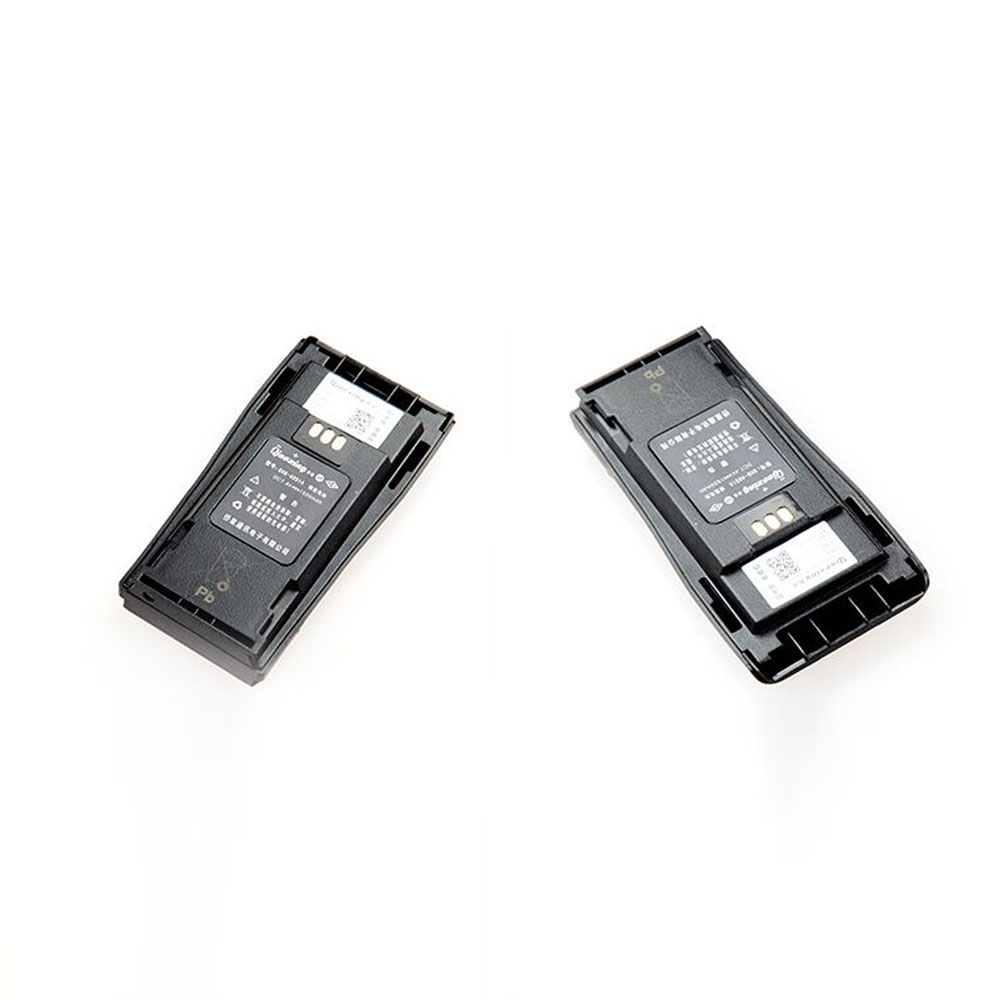
Motorola NNTN4497CR Specifications
Brand: Battery for Motorola
Capacity:1500mAh
Voltage:7.4V
Type:Ni-MH
All products from our shop are 100% the highest quality!
We provide the high quality Laptop Adapters!
NNTN4851AC
NNTN4851R
NNTN4469R
NNTN4970
How to Maintenance your new replacement Motorola NNTN4497CR battery?
1. New Motorola NNTN4497CR battery pack must be fully charged before use.
2. New battery pack needs to be fully charged and discharged (cycled) a few times before it can condition to full capacity.
3.Laptop battery undergo self-discharging when left unused. Always store a Motorola NNTN4497CR battery pack in a fully charged stage for storage.
4. Fully drain and fully recharge your battery pack every few months.
5. Turn down the LCD brightness of your portable device.
6. Use built-in power management on your portable device.
7. Turn off LCD or other unnecessary accessories when not in use.
8. Set screen saver blank to 1 to 2 minutes of your notebook.
9. Add more RAM if you have extra RAM expansion slot, it will reduce the usage of hard drive and it is power exhaustive.
10. Close unused software in your Motorola GP3688 CP040 CP050 CP150 CP-200 EP-450 PR-400 .
11. Remove unused PC Cards or USB devices from your notebook.
12. Don´t watch DVD or play graphics intensive video games.
13. Don´t short circuit terminal or store your Motorola NNTN4497CR Batteries pack with metal parts. 14. Don´t drop or mutilate the Motorola NNTN4497CR battery pack.
15. Don´t expose to moisture or water.
Other Online Stores:
USA------------MOTOROLA NNTN4497CR battery
NED------------Motorola NNTN4497CR Accu
FRA------------Motorola NNTN4497CR Autres Batteries
JPN------------Motorola NNTN4497CR Ni-MH 新品デル互換用バッテリー
ESP------------Motorola NNTN4497CR baterías
Fit Machine Model Motorola GP3688 CP040 CP050 CP150 CP-200 EP-450 PR-400 - 1500mAh - 7.4V.
All products from our shop are 100% the highest quality! We provide the high quality Laptop Batteries. Motorola NNTN4497CR battery is best compatible with the original equipments.
OriccaBattery.co.uk ◆Free Shipping ◆ One year warranty ◆ 30 days money back guarantee.
Battery NNTN4497CR Replacement For Motorola GP3688 CP040 CP050 CP150 CP-200 EP-450 PR-400
Motorola NNTN4497CR Specifications
Brand: Battery for Motorola
Capacity:1500mAh
Voltage:7.4V
Type:Ni-MH
All products from our shop are 100% the highest quality!
We provide the high quality Laptop Adapters!
PRODUCT COMPATIBILITY:
NNTN4497CRNNTN4851AC
NNTN4851R
NNTN4469R
NNTN4970
REPLACEABILITY WITH THE FOLLOWING MODELS:
GP3688,GP3188,CP040,CP050,CP-150,CP160,CP-200,EP-450,RP-400, ETCHow to Maintenance your new replacement Motorola NNTN4497CR battery?
1. New Motorola NNTN4497CR battery pack must be fully charged before use.
2. New battery pack needs to be fully charged and discharged (cycled) a few times before it can condition to full capacity.
3.Laptop battery undergo self-discharging when left unused. Always store a Motorola NNTN4497CR battery pack in a fully charged stage for storage.
4. Fully drain and fully recharge your battery pack every few months.
5. Turn down the LCD brightness of your portable device.
6. Use built-in power management on your portable device.
7. Turn off LCD or other unnecessary accessories when not in use.
8. Set screen saver blank to 1 to 2 minutes of your notebook.
9. Add more RAM if you have extra RAM expansion slot, it will reduce the usage of hard drive and it is power exhaustive.
10. Close unused software in your Motorola GP3688 CP040 CP050 CP150 CP-200 EP-450 PR-400 .
11. Remove unused PC Cards or USB devices from your notebook.
12. Don´t watch DVD or play graphics intensive video games.
13. Don´t short circuit terminal or store your Motorola NNTN4497CR Batteries pack with metal parts. 14. Don´t drop or mutilate the Motorola NNTN4497CR battery pack.
15. Don´t expose to moisture or water.
Other Online Stores:
USA------------MOTOROLA NNTN4497CR battery
NED------------Motorola NNTN4497CR Accu
FRA------------Motorola NNTN4497CR Autres Batteries
JPN------------Motorola NNTN4497CR Ni-MH 新品デル互換用バッテリー
ESP------------Motorola NNTN4497CR baterías
7.4V Motorola PMNN4409 Battery For Motorola DP4400 DP4401 DP4600 DP4601 DP4800 DP4801
Buy Motorola PMNN4409 Battery replacement for Motorola MotoTRBO XPR3500 APX3000.
Fit Machine Model Motorola MotoTRBO XPR3500 APX3000 - 2200MAH/16.28WH - 7.4V.
All products from our shop are 100% the highest quality! We provide the high quality Laptop Batteries. Motorola PMNN4409 battery is best compatible with the original equipments.
OriccaBattery.co.uk ◆Free Shipping ◆ One year warranty ◆ 30 days money back guarantee.
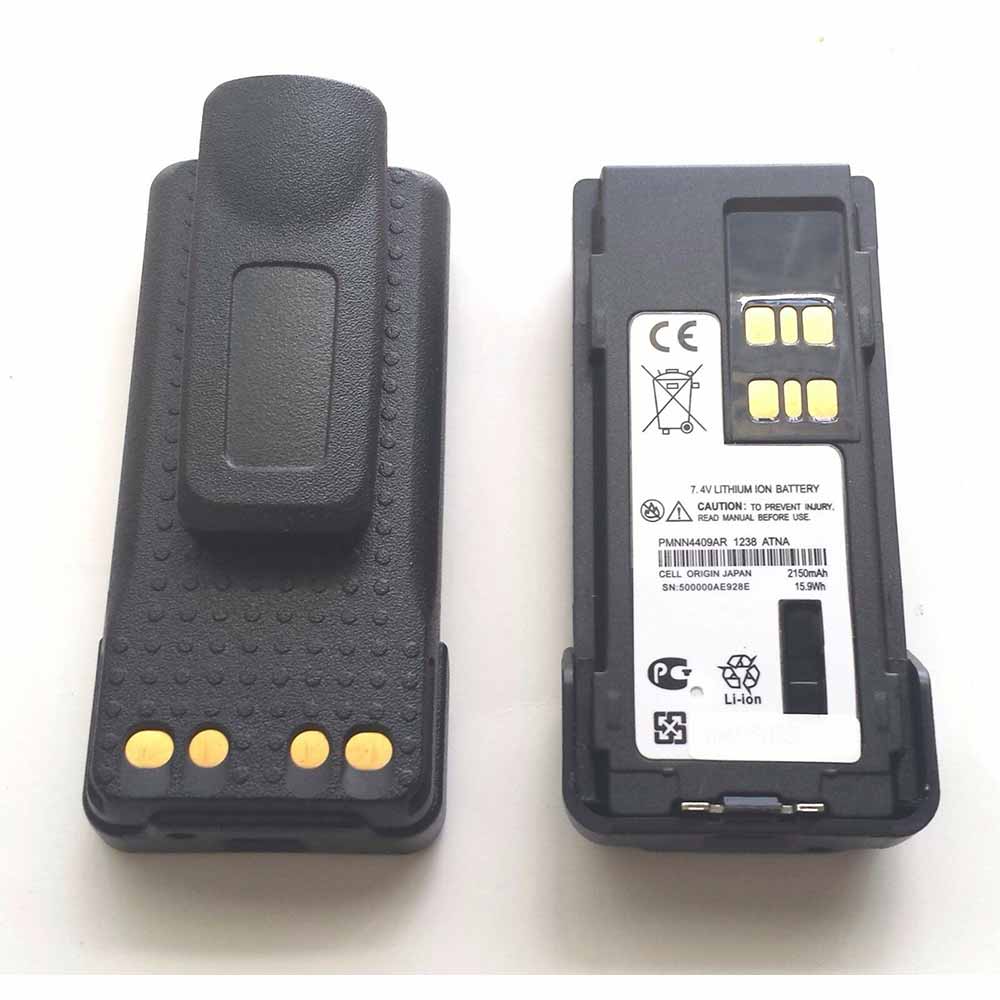
Motorola PMNN4409 Specifications
Brand: Battery for Motorola
Capacity:2200MAH/16.28WH
Voltage:7.4V
Type:Li-ion
All products from our shop are 100% the highest quality!
We provide the high quality Laptop Adapters!
PMNN4409AR
PMNN4448
XPR3300 XPR3500 XPR7350 XPR7380 XPR7500 XPR7550 XPR7580
DP4400 DP4401 DP4600 DP4601 DP4800 DP4801
XIR P8668 XiRP8600 DGP8550 DGP5550 DGP8050
How to Maintenance your new replacement Motorola PMNN4409 battery?
1. New Motorola PMNN4409 battery pack must be fully charged before use.
2. New battery pack needs to be fully charged and discharged (cycled) a few times before it can condition to full capacity.
3.Laptop battery undergo self-discharging when left unused. Always store a Motorola PMNN4409 battery pack in a fully charged stage for storage.
4. Fully drain and fully recharge your battery pack every few months.
5. Turn down the LCD brightness of your portable device.
6. Use built-in power management on your portable device.
7. Turn off LCD or other unnecessary accessories when not in use.
8. Set screen saver blank to 1 to 2 minutes of your notebook.
9. Add more RAM if you have extra RAM expansion slot, it will reduce the usage of hard drive and it is power exhaustive.
10. Close unused software in your Motorola MotoTRBO XPR3500 APX3000 .
11. Remove unused PC Cards or USB devices from your notebook.
12. Don´t watch DVD or play graphics intensive video games.
13. Don´t short circuit terminal or store your Motorola PMNN4409 Batteries pack with metal parts. 14. Don´t drop or mutilate the Motorola PMNN4409 battery pack.
15. Don´t expose to moisture or water.
Other Online Stores:
USA------------MOTOROLA PMNN4409 battery
NED------------Motorola PMNN4409 Accu
FRA------------Motorola PMNN4409 Autres Batteries
JPN------------Motorola PMNN4409 Li-ion 新品デル互換用バッテリー
ESP------------Motorola PMNN4409 baterías
Fit Machine Model Motorola MotoTRBO XPR3500 APX3000 - 2200MAH/16.28WH - 7.4V.
All products from our shop are 100% the highest quality! We provide the high quality Laptop Batteries. Motorola PMNN4409 battery is best compatible with the original equipments.
OriccaBattery.co.uk ◆Free Shipping ◆ One year warranty ◆ 30 days money back guarantee.
Battery PMNN4409 Replacement For Motorola Motorola MotoTRBO XPR3500 APX3000
Motorola PMNN4409 Specifications
Brand: Battery for Motorola
Capacity:2200MAH/16.28WH
Voltage:7.4V
Type:Li-ion
All products from our shop are 100% the highest quality!
We provide the high quality Laptop Adapters!
PRODUCT COMPATIBILITY:
PMNN4409PMNN4409AR
PMNN4448
REPLACEABILITY WITH THE FOLLOWING MODELS:
Motorola GP328D GP338D GP8608 GP8660 GP338DLKPXPR3300 XPR3500 XPR7350 XPR7380 XPR7500 XPR7550 XPR7580
DP4400 DP4401 DP4600 DP4601 DP4800 DP4801
XIR P8668 XiRP8600 DGP8550 DGP5550 DGP8050
How to Maintenance your new replacement Motorola PMNN4409 battery?
1. New Motorola PMNN4409 battery pack must be fully charged before use.
2. New battery pack needs to be fully charged and discharged (cycled) a few times before it can condition to full capacity.
3.Laptop battery undergo self-discharging when left unused. Always store a Motorola PMNN4409 battery pack in a fully charged stage for storage.
4. Fully drain and fully recharge your battery pack every few months.
5. Turn down the LCD brightness of your portable device.
6. Use built-in power management on your portable device.
7. Turn off LCD or other unnecessary accessories when not in use.
8. Set screen saver blank to 1 to 2 minutes of your notebook.
9. Add more RAM if you have extra RAM expansion slot, it will reduce the usage of hard drive and it is power exhaustive.
10. Close unused software in your Motorola MotoTRBO XPR3500 APX3000 .
11. Remove unused PC Cards or USB devices from your notebook.
12. Don´t watch DVD or play graphics intensive video games.
13. Don´t short circuit terminal or store your Motorola PMNN4409 Batteries pack with metal parts. 14. Don´t drop or mutilate the Motorola PMNN4409 battery pack.
15. Don´t expose to moisture or water.
Other Online Stores:
USA------------MOTOROLA PMNN4409 battery
NED------------Motorola PMNN4409 Accu
FRA------------Motorola PMNN4409 Autres Batteries
JPN------------Motorola PMNN4409 Li-ion 新品デル互換用バッテリー
ESP------------Motorola PMNN4409 baterías
3.8V/4.35V BlackBerry BPCLS00001B Battery For BlackBerry Classic Q20
Buy BlackBerry BPCLS00001B Cell Phone Battery replacement for BlackBerry Classic Q20.
Fit Machine Model BlackBerry Classic Q20 - 2515mAh /9.56Wh - 3.8V/4.35V.
All products from our shop are 100% the highest quality! We provide the high quality Laptop Batteries. BlackBerry BPCLS00001B battery is best compatible with the original equipments.
OriccaBattery.co.uk ◆Free Shipping ◆ One year warranty ◆ 30 days money back guarantee.
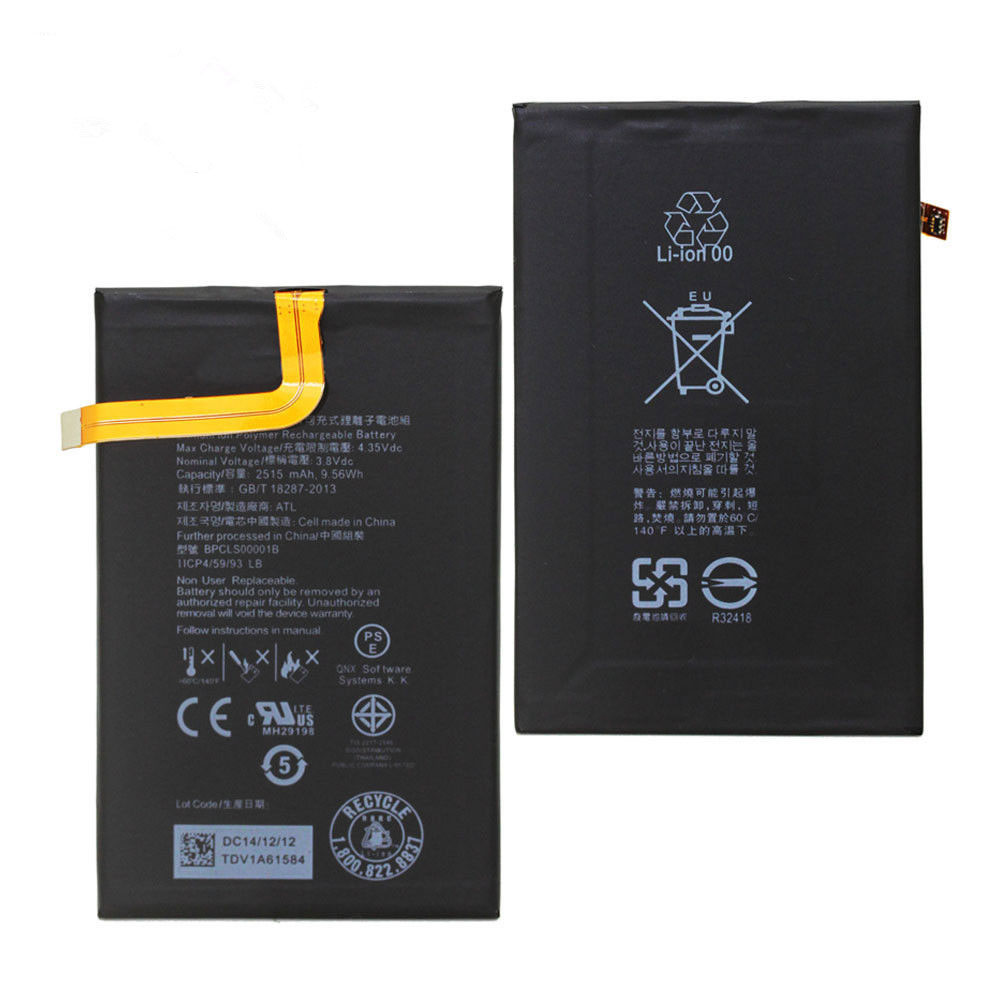
BlackBerry BPCLS00001B Specifications
Brand:Cell Phone Battery for BlackBerry
Capacity:2515mAh /9.56Wh
Voltage:3.8V/4.35V
Type:Li-ion
All products from our shop are 100% the highest quality!
We provide the high quality Laptop Adapters!
How to Maintenance your new replacement BlackBerry BPCLS00001B battery?
1. New BlackBerry BPCLS00001B battery pack must be fully charged before use.
2. New battery pack needs to be fully charged and discharged (cycled) a few times before it can condition to full capacity.
3.Laptop battery undergo self-discharging when left unused. Always store a BlackBerry BPCLS00001B battery pack in a fully charged stage for storage.
4. Fully drain and fully recharge your battery pack every few months.
5. Turn down the LCD brightness of your portable device.
6. Use built-in power management on your portable device.
7. Turn off LCD or other unnecessary accessories when not in use.
8. Set screen saver blank to 1 to 2 minutes of your notebook.
9. Add more RAM if you have extra RAM expansion slot, it will reduce the usage of hard drive and it is power exhaustive.
10. Close unused software in your BlackBerry Classic Q20 phone .
11. Remove unused PC Cards or USB devices from your notebook.
12. Don´t watch DVD or play graphics intensive video games.
13. Don´t short circuit terminal or store your BlackBerry BPCLS00001B Cell Phone Batteries pack with metal parts. 14. Don´t drop or mutilate the BlackBerry BPCLS00001B battery pack.
15. Don´t expose to moisture or water.
Other Online Stores:
USA------------BLACKBERRY BPCLS00001B battery
NED------------BlackBerry BPCLS00001B Accu
FRA------------BlackBerry BPCLS00001B Batterie Téléphone
JPN------------BlackBerry BPCLS00001B Li-ion 新品デル互換用バッテリー
ESP------------Blackberry BPCLS00001B baterías
Fit Machine Model BlackBerry Classic Q20 - 2515mAh /9.56Wh - 3.8V/4.35V.
All products from our shop are 100% the highest quality! We provide the high quality Laptop Batteries. BlackBerry BPCLS00001B battery is best compatible with the original equipments.
OriccaBattery.co.uk ◆Free Shipping ◆ One year warranty ◆ 30 days money back guarantee.
Battery BPCLS00001B Replacement For BlackBerry Classic Q20
BlackBerry BPCLS00001B Specifications
Brand:Cell Phone Battery for BlackBerry
Capacity:2515mAh /9.56Wh
Voltage:3.8V/4.35V
Type:Li-ion
All products from our shop are 100% the highest quality!
We provide the high quality Laptop Adapters!
PRODUCT COMPATIBILITY:
BPCLS00001BREPLACEABILITY WITH THE FOLLOWING MODELS:
BlackBerry Classic Q20How to Maintenance your new replacement BlackBerry BPCLS00001B battery?
1. New BlackBerry BPCLS00001B battery pack must be fully charged before use.
2. New battery pack needs to be fully charged and discharged (cycled) a few times before it can condition to full capacity.
3.Laptop battery undergo self-discharging when left unused. Always store a BlackBerry BPCLS00001B battery pack in a fully charged stage for storage.
4. Fully drain and fully recharge your battery pack every few months.
5. Turn down the LCD brightness of your portable device.
6. Use built-in power management on your portable device.
7. Turn off LCD or other unnecessary accessories when not in use.
8. Set screen saver blank to 1 to 2 minutes of your notebook.
9. Add more RAM if you have extra RAM expansion slot, it will reduce the usage of hard drive and it is power exhaustive.
10. Close unused software in your BlackBerry Classic Q20 phone .
11. Remove unused PC Cards or USB devices from your notebook.
12. Don´t watch DVD or play graphics intensive video games.
13. Don´t short circuit terminal or store your BlackBerry BPCLS00001B Cell Phone Batteries pack with metal parts. 14. Don´t drop or mutilate the BlackBerry BPCLS00001B battery pack.
15. Don´t expose to moisture or water.
Other Online Stores:
USA------------BLACKBERRY BPCLS00001B battery
NED------------BlackBerry BPCLS00001B Accu
FRA------------BlackBerry BPCLS00001B Batterie Téléphone
JPN------------BlackBerry BPCLS00001B Li-ion 新品デル互換用バッテリー
ESP------------Blackberry BPCLS00001B baterías
3.7V Motorola NNTN8020 Battery For Motorola MTP3000 MTP3200 MTP3250 MTP3500 MTP3550
Buy Motorola NNTN8020 Battery replacement for Motorola MTP3100 MTP3200 MTP3250 MTP3550 Radio.
Fit Machine Model Motorola MTP3100 MTP3200 MTP3250 MTP3550 Radio - 2000MAH/7.4WH - 3.7V.
All products from our shop are 100% the highest quality! We provide the high quality Laptop Batteries. Motorola NNTN8020 battery is best compatible with the original equipments.
OriccaBattery.co.uk ◆Free Shipping ◆ One year warranty ◆ 30 days money back guarantee.
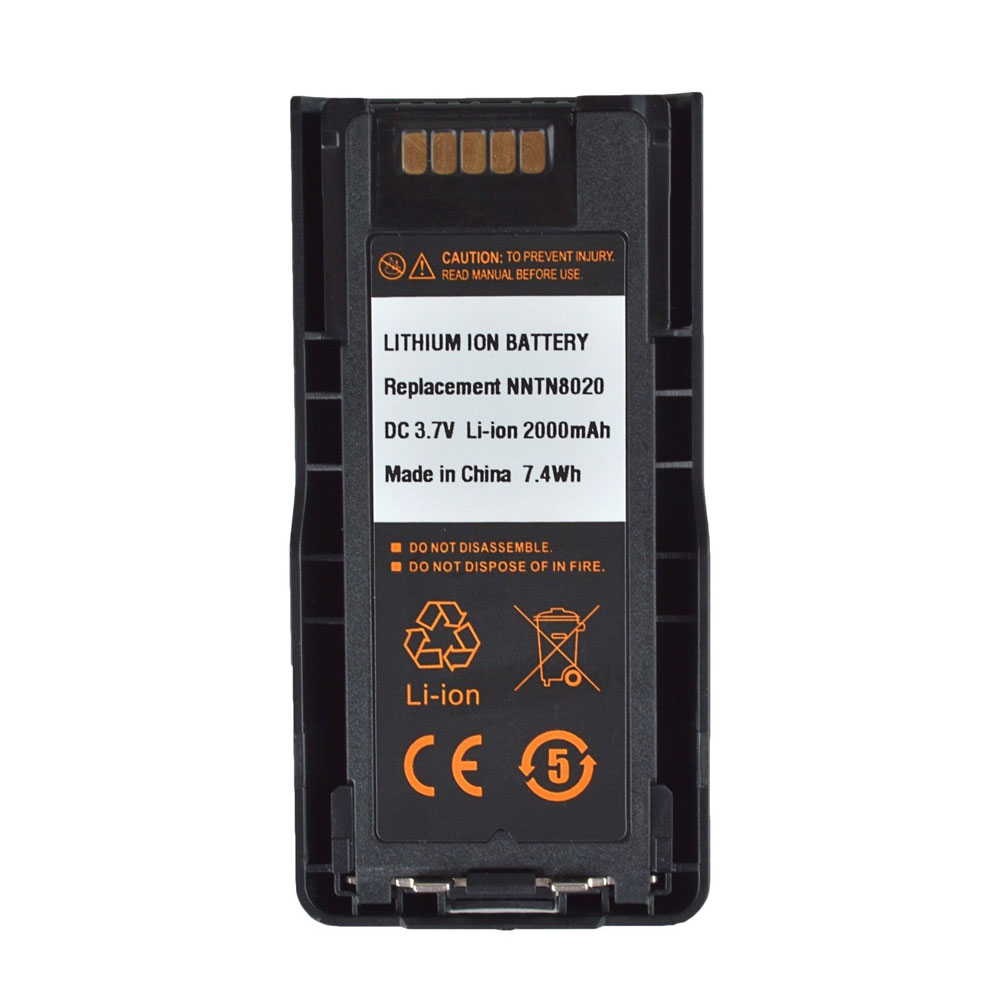
Motorola NNTN8020 Specifications
Brand: Battery for Motorola
Capacity:2000MAH/7.4WH
Voltage:3.7V
Type:Li-ion
All products from our shop are 100% the highest quality!
We provide the high quality Laptop Adapters!
MTP3000 MTP3200 MTP3250 MTP3500 MTP3550
How to Maintenance your new replacement Motorola NNTN8020 battery?
1. New Motorola NNTN8020 battery pack must be fully charged before use.
2. New battery pack needs to be fully charged and discharged (cycled) a few times before it can condition to full capacity.
3.Laptop battery undergo self-discharging when left unused. Always store a Motorola NNTN8020 battery pack in a fully charged stage for storage.
4. Fully drain and fully recharge your battery pack every few months.
5. Turn down the LCD brightness of your portable device.
6. Use built-in power management on your portable device.
7. Turn off LCD or other unnecessary accessories when not in use.
8. Set screen saver blank to 1 to 2 minutes of your notebook.
9. Add more RAM if you have extra RAM expansion slot, it will reduce the usage of hard drive and it is power exhaustive.
10. Close unused software in your Motorola MTP3100 MTP3200 MTP3250 MTP3550 Radio .
11. Remove unused PC Cards or USB devices from your notebook.
12. Don´t watch DVD or play graphics intensive video games.
13. Don´t short circuit terminal or store your Motorola NNTN8020 Batteries pack with metal parts. 14. Don´t drop or mutilate the Motorola NNTN8020 battery pack.
15. Don´t expose to moisture or water.
Other Online Stores:
USA------------MOTOROLA NNTN8020 battery
NED------------Motorola NNTN8020 Accu
FRA------------Motorola NNTN8020 Autres Batteries
JPN------------Motorola NNTN8020 Li-ion 新品デル互換用バッテリー
ESP------------Motorola NNTN8020 baterías
Fit Machine Model Motorola MTP3100 MTP3200 MTP3250 MTP3550 Radio - 2000MAH/7.4WH - 3.7V.
All products from our shop are 100% the highest quality! We provide the high quality Laptop Batteries. Motorola NNTN8020 battery is best compatible with the original equipments.
OriccaBattery.co.uk ◆Free Shipping ◆ One year warranty ◆ 30 days money back guarantee.
Battery NNTN8020 Replacement For Motorola Motorola MTP3100 MTP3200 MTP3250 MTP3550 Radio
Motorola NNTN8020 Specifications
Brand: Battery for Motorola
Capacity:2000MAH/7.4WH
Voltage:3.7V
Type:Li-ion
All products from our shop are 100% the highest quality!
We provide the high quality Laptop Adapters!
PRODUCT COMPATIBILITY:
NNTN8020REPLACEABILITY WITH THE FOLLOWING MODELS:
Motorola MTP6550 MTP6750 MTP3100 MTP3150MTP3000 MTP3200 MTP3250 MTP3500 MTP3550
How to Maintenance your new replacement Motorola NNTN8020 battery?
1. New Motorola NNTN8020 battery pack must be fully charged before use.
2. New battery pack needs to be fully charged and discharged (cycled) a few times before it can condition to full capacity.
3.Laptop battery undergo self-discharging when left unused. Always store a Motorola NNTN8020 battery pack in a fully charged stage for storage.
4. Fully drain and fully recharge your battery pack every few months.
5. Turn down the LCD brightness of your portable device.
6. Use built-in power management on your portable device.
7. Turn off LCD or other unnecessary accessories when not in use.
8. Set screen saver blank to 1 to 2 minutes of your notebook.
9. Add more RAM if you have extra RAM expansion slot, it will reduce the usage of hard drive and it is power exhaustive.
10. Close unused software in your Motorola MTP3100 MTP3200 MTP3250 MTP3550 Radio .
11. Remove unused PC Cards or USB devices from your notebook.
12. Don´t watch DVD or play graphics intensive video games.
13. Don´t short circuit terminal or store your Motorola NNTN8020 Batteries pack with metal parts. 14. Don´t drop or mutilate the Motorola NNTN8020 battery pack.
15. Don´t expose to moisture or water.
Other Online Stores:
USA------------MOTOROLA NNTN8020 battery
NED------------Motorola NNTN8020 Accu
FRA------------Motorola NNTN8020 Autres Batteries
JPN------------Motorola NNTN8020 Li-ion 新品デル互換用バッテリー
ESP------------Motorola NNTN8020 baterías
7.4V Motorola PMNN4077 Battery For Motorola XPR6350 XPR6500 XPR6550 XPR6380 XPR6580
Buy Motorola PMNN4077 Battery replacement for Motorola XPR6100 XPR6300 XPR6350 XPR6500 Radio.
Fit Machine Model Motorola XPR6100 XPR6300 XPR6350 XPR6500 Radio - 2200MAH/15.9WH - 7.4V.
All products from our shop are 100% the highest quality! We provide the high quality Laptop Batteries. Motorola PMNN4077 battery is best compatible with the original equipments.
OriccaBattery.co.uk ◆Free Shipping ◆ One year warranty ◆ 30 days money back guarantee.
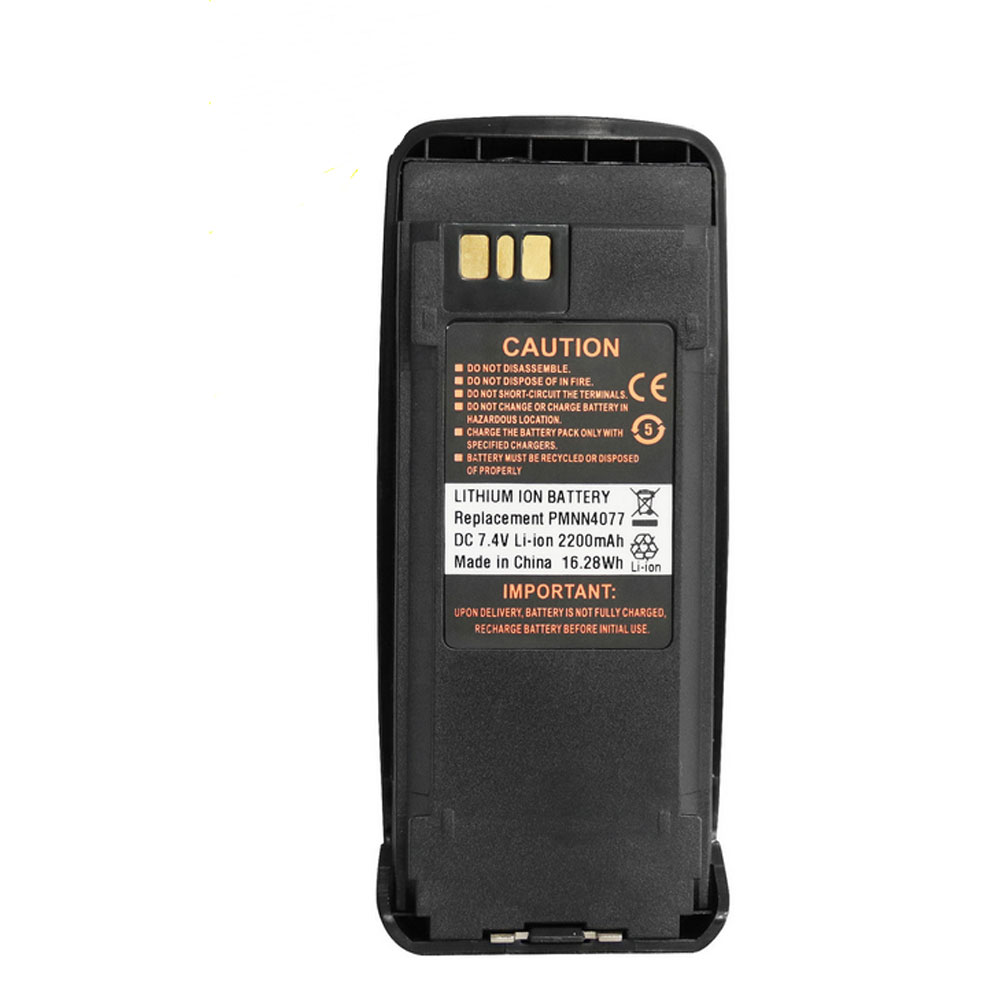
Motorola PMNN4077 Specifications
Brand: Battery for Motorola
Capacity:2200MAH/15.9WH
Voltage:7.4V
Type:Li-ion
All products from our shop are 100% the highest quality!
We provide the high quality Laptop Adapters!
How to Maintenance your new replacement Motorola PMNN4077 battery?
1. New Motorola PMNN4077 battery pack must be fully charged before use.
2. New battery pack needs to be fully charged and discharged (cycled) a few times before it can condition to full capacity.
3.Laptop battery undergo self-discharging when left unused. Always store a Motorola PMNN4077 battery pack in a fully charged stage for storage.
4. Fully drain and fully recharge your battery pack every few months.
5. Turn down the LCD brightness of your portable device.
6. Use built-in power management on your portable device.
7. Turn off LCD or other unnecessary accessories when not in use.
8. Set screen saver blank to 1 to 2 minutes of your notebook.
9. Add more RAM if you have extra RAM expansion slot, it will reduce the usage of hard drive and it is power exhaustive.
10. Close unused software in your Motorola XPR6100 XPR6300 XPR6350 XPR6500 Radio .
11. Remove unused PC Cards or USB devices from your notebook.
12. Don´t watch DVD or play graphics intensive video games.
13. Don´t short circuit terminal or store your Motorola PMNN4077 Batteries pack with metal parts. 14. Don´t drop or mutilate the Motorola PMNN4077 battery pack.
15. Don´t expose to moisture or water.
Other Online Stores:
USA------------MOTOROLA PMNN4077 battery
NED------------Motorola PMNN4077 Accu
FRA------------Motorola PMNN4077 Autres Batteries
JPN------------Motorola PMNN4077 Li-ion 新品デル互換用バッテリー
ESP------------Motorola PMNN4077 baterías
Fit Machine Model Motorola XPR6100 XPR6300 XPR6350 XPR6500 Radio - 2200MAH/15.9WH - 7.4V.
All products from our shop are 100% the highest quality! We provide the high quality Laptop Batteries. Motorola PMNN4077 battery is best compatible with the original equipments.
OriccaBattery.co.uk ◆Free Shipping ◆ One year warranty ◆ 30 days money back guarantee.
Battery PMNN4077 Replacement For Motorola Motorola XPR6100 XPR6300 XPR6350 XPR6500 Radio
Motorola PMNN4077 Specifications
Brand: Battery for Motorola
Capacity:2200MAH/15.9WH
Voltage:7.4V
Type:Li-ion
All products from our shop are 100% the highest quality!
We provide the high quality Laptop Adapters!
PRODUCT COMPATIBILITY:
PMNN4077REPLACEABILITY WITH THE FOLLOWING MODELS:
Motorola XPR6100 XPR6300 XPR6350 XPR6500 XPR6550 XPR6380 XPR6580 SeriesHow to Maintenance your new replacement Motorola PMNN4077 battery?
1. New Motorola PMNN4077 battery pack must be fully charged before use.
2. New battery pack needs to be fully charged and discharged (cycled) a few times before it can condition to full capacity.
3.Laptop battery undergo self-discharging when left unused. Always store a Motorola PMNN4077 battery pack in a fully charged stage for storage.
4. Fully drain and fully recharge your battery pack every few months.
5. Turn down the LCD brightness of your portable device.
6. Use built-in power management on your portable device.
7. Turn off LCD or other unnecessary accessories when not in use.
8. Set screen saver blank to 1 to 2 minutes of your notebook.
9. Add more RAM if you have extra RAM expansion slot, it will reduce the usage of hard drive and it is power exhaustive.
10. Close unused software in your Motorola XPR6100 XPR6300 XPR6350 XPR6500 Radio .
11. Remove unused PC Cards or USB devices from your notebook.
12. Don´t watch DVD or play graphics intensive video games.
13. Don´t short circuit terminal or store your Motorola PMNN4077 Batteries pack with metal parts. 14. Don´t drop or mutilate the Motorola PMNN4077 battery pack.
15. Don´t expose to moisture or water.
Other Online Stores:
USA------------MOTOROLA PMNN4077 battery
NED------------Motorola PMNN4077 Accu
FRA------------Motorola PMNN4077 Autres Batteries
JPN------------Motorola PMNN4077 Li-ion 新品デル互換用バッテリー
ESP------------Motorola PMNN4077 baterías
Friday, 28 December 2018
How to Test Laptop Battery
We all rely on our laptops for a variety of things and knowing how to test laptop battery can be crucial if important docs are on your laptop. Some of us count on it to finish our work, to advance our careers, and to put food on the table. Others of us count on it to complete our school assignments, pass our classes, and get that coveted degree. And still others count on it for important personal projects, keeping in touch with friends and family, playing games, or browsing the internet.
Regardless of what we rely on our laptops for, it’s apparent that they’re crucial, and that means our laptop batteries are crucial, too. Because, without its battery, a laptop is completely useless. Duh!
How to Test Laptop Battery Method #1: System Diagnostics
The first way to test your laptop’s battery can happen right there on your computer. Take the following general steps (obviously, the process will vary slightly, depending on your operating system):
1.Unplug the power cord.
2.Turn off the laptop.
3.Press the power button to restart your laptop.
4.Press the Esc key immediately, once the laptop powers up.
5.The Start Up menu will appear. Select System Diagnostics.
6.A list of diagnostics and component tests should pop up. Select Battery Test.
7.Plug the power cord back in.
8.Click the Start Battery Test button.
Once your system completes the battery test, you should see a status message, such as OK, Calibrate, Weak, Very Weak, Replace, No Battery, or Unknown. We advise you to consult your specific model’s owner’s manual to determine the next course of action, depending on which status message appears.
How to Test Laptop Battery Method #2: Clever Trick
You can also troubleshoot your laptop battery using a much simpler trick. This is more of a way to figure out if the issue lies within your battery or in the laptop itself, rather than anything else. Here’s what to do.
If your laptop isn’t working properly:
1.Remove your battery
2.Run your laptop on the AC adapter only
3.If it starts to work perfectly, then you know it’s a problem with your battery, and not your PC.
Browse Affordable Laptop Battery Replacements Online
We carry a massive inventory of laptop batteries that are compatible with machines from Acer, ASUS, Compaq, Dell, Gateway, Hewlett-Packard, Panasonic, Samsung, Sony, Toshiba, and many other manufacturers. All in all, we have over 600 laptop batteries in our extensive Battery Depot inventory.
Regardless of what we rely on our laptops for, it’s apparent that they’re crucial, and that means our laptop batteries are crucial, too. Because, without its battery, a laptop is completely useless. Duh!
How to Test Laptop Battery Method #1: System Diagnostics
The first way to test your laptop’s battery can happen right there on your computer. Take the following general steps (obviously, the process will vary slightly, depending on your operating system):
1.Unplug the power cord.
2.Turn off the laptop.
3.Press the power button to restart your laptop.
4.Press the Esc key immediately, once the laptop powers up.
5.The Start Up menu will appear. Select System Diagnostics.
6.A list of diagnostics and component tests should pop up. Select Battery Test.
7.Plug the power cord back in.
8.Click the Start Battery Test button.
Once your system completes the battery test, you should see a status message, such as OK, Calibrate, Weak, Very Weak, Replace, No Battery, or Unknown. We advise you to consult your specific model’s owner’s manual to determine the next course of action, depending on which status message appears.
How to Test Laptop Battery Method #2: Clever Trick
You can also troubleshoot your laptop battery using a much simpler trick. This is more of a way to figure out if the issue lies within your battery or in the laptop itself, rather than anything else. Here’s what to do.
If your laptop isn’t working properly:
1.Remove your battery
2.Run your laptop on the AC adapter only
3.If it starts to work perfectly, then you know it’s a problem with your battery, and not your PC.
Browse Affordable Laptop Battery Replacements Online
We carry a massive inventory of laptop batteries that are compatible with machines from Acer, ASUS, Compaq, Dell, Gateway, Hewlett-Packard, Panasonic, Samsung, Sony, Toshiba, and many other manufacturers. All in all, we have over 600 laptop batteries in our extensive Battery Depot inventory.
How Long Do Laptop Batteries Last?
If you own a laptop, you probably rely on it for some pretty important stuff and should be aware of how long do laptop batteries last. Whether you need it for school assignments, office work, creative projects, keeping in touch with friends and family, or just having fun and exploring the internet, we know it means a lot to you. It can’t just die randomly!
That’s why many laptop owners are constantly asking themselves, “How long do laptop batteries last?” “How can I make a laptop battery last longer?” And on and on.
How Long Do Laptop Batteries Last: 3 Important Things to Know
The first thing you need to realize about how long laptop batteries last is that the lifespan of a laptop’s battery depends on a wide variety of factors: the chemical composition of the battery, the age of the battery, its capacity (mAh), what types of programs you’re running on the laptop, and much more. It can range from one to six hours.
1. Many laptop batteries begin to fail within a year or two.
Over time, your battery’s lifespan will decrease; in other words, its capacity will diminish. The typical laptop battery has about 400 charge cycles (i.e., recharges) in it before it starts to experience significant capacity losses. What a bummer!
2.However, you can maximize the life of your current battery.
Here’s the good news. By following a few simple best practices, you can extend your battery’s projected lifetime. Contact us for more info.
3. We carry hundreds of laptop batteries at oriccabattery.co.uk!
When it comes time to purchase a replacement battery for your laptop, you don’t have to choose one that’s produced by the same company that made your laptop. In fact, we have plenty of great third-party options in our inventory.
Laptop manufacturer: Acer, Apple, ASUS, Canon, Compaq, Dell, Fujitsu, Gateway, HP (Hewlett-Packard), IBM, Lenovo, Panasonic, Samsung, Siemens, Sony, Texas Instruments, Toshiba, etc.
Battery manufacturer: Sanyo/FDK, Dantona, Denaq, Panasonic, Sanyo, Tadiran, and UltraLast®.
Chemical composition: lithium (Li), lithium-ion (Li-Ion), lithium manganese dioxide (CR), lithium thionyl chloride (ER/TL/LS), or nickel-metal hydride (NiMH)—it’s completely up to you!
With that in mind, you know where to go if your laptop’s battery starts to run out of juice. When you shop with us, you can find high-quality products for affordable prices. Best of all, our laptop batteries last for as long as they claim. They won’t start to die before it’s time, so you can count on them to work.
>>>>>>>>>>Buy Laptop Battery Online at Best Prices.
That’s why many laptop owners are constantly asking themselves, “How long do laptop batteries last?” “How can I make a laptop battery last longer?” And on and on.
How Long Do Laptop Batteries Last: 3 Important Things to Know
The first thing you need to realize about how long laptop batteries last is that the lifespan of a laptop’s battery depends on a wide variety of factors: the chemical composition of the battery, the age of the battery, its capacity (mAh), what types of programs you’re running on the laptop, and much more. It can range from one to six hours.
1. Many laptop batteries begin to fail within a year or two.
Over time, your battery’s lifespan will decrease; in other words, its capacity will diminish. The typical laptop battery has about 400 charge cycles (i.e., recharges) in it before it starts to experience significant capacity losses. What a bummer!
2.However, you can maximize the life of your current battery.
Here’s the good news. By following a few simple best practices, you can extend your battery’s projected lifetime. Contact us for more info.
3. We carry hundreds of laptop batteries at oriccabattery.co.uk!
When it comes time to purchase a replacement battery for your laptop, you don’t have to choose one that’s produced by the same company that made your laptop. In fact, we have plenty of great third-party options in our inventory.
Laptop Battery Replacements
Here at oriccabattery.co.uk, we carry tons of different types of laptop battery replacements. In fact, we have over 600 different products in our massive laptop battery inventory. Here’s a convenient overview of what you can find online…Laptop manufacturer: Acer, Apple, ASUS, Canon, Compaq, Dell, Fujitsu, Gateway, HP (Hewlett-Packard), IBM, Lenovo, Panasonic, Samsung, Siemens, Sony, Texas Instruments, Toshiba, etc.
Battery manufacturer: Sanyo/FDK, Dantona, Denaq, Panasonic, Sanyo, Tadiran, and UltraLast®.
Chemical composition: lithium (Li), lithium-ion (Li-Ion), lithium manganese dioxide (CR), lithium thionyl chloride (ER/TL/LS), or nickel-metal hydride (NiMH)—it’s completely up to you!
With that in mind, you know where to go if your laptop’s battery starts to run out of juice. When you shop with us, you can find high-quality products for affordable prices. Best of all, our laptop batteries last for as long as they claim. They won’t start to die before it’s time, so you can count on them to work.
>>>>>>>>>>Buy Laptop Battery Online at Best Prices.
11.1V Lenovo 45N1016 Battery For Lenovo ThinkPad T410 T420 T430 T510 T520 T530
Buy Lenovo 45N1016 Laptop Battery replacement for Lenovo ThinkPad T410 T420 T430 T510 28++.
Fit Machine Model Lenovo ThinkPad T410 T420 T430 T510 28++ - 94Wh - 11.1V.
All products from our shop are 100% the highest quality! We provide the high quality Laptop Batteries. Lenovo 45N1016 battery is best compatible with the original equipments.
OriccaBattery.co.uk ◆Free Shipping ◆ One year warranty ◆ 30 days money back guarantee.
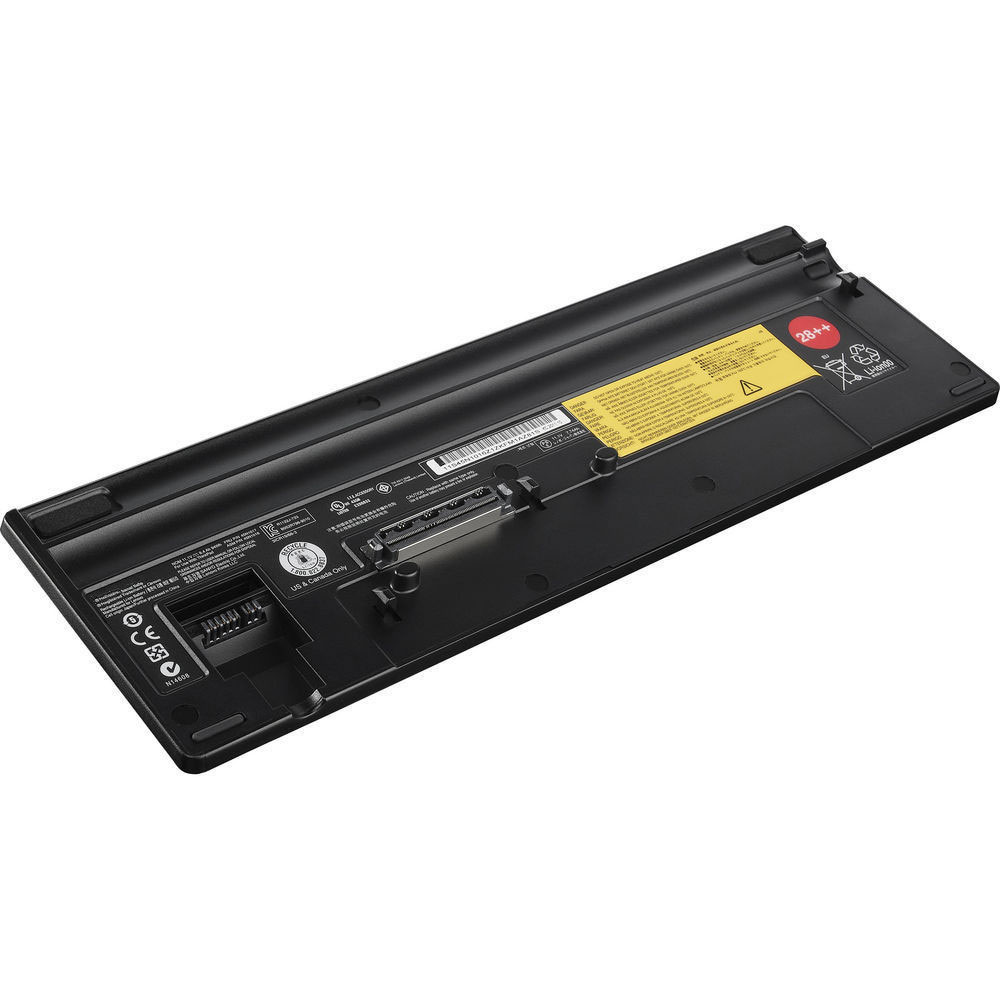
Lenovo 45N1016 Specifications
Brand: Laptop Battery for Lenovo
Capacity:94Wh
Voltage:11.1V
Type:Li-ion
All products from our shop are 100% the highest quality!
We provide the high quality Laptop Adapters!
45N1016
Lenovo ThinkPad W510 W520 W530
How to Maintenance your new replacement Lenovo 45N1016 battery?
1. New Lenovo 45N1016 battery pack must be fully charged before use.
2. New battery pack needs to be fully charged and discharged (cycled) a few times before it can condition to full capacity.
3.Laptop battery undergo self-discharging when left unused. Always store a Lenovo 45N1016 battery pack in a fully charged stage for storage.
4. Fully drain and fully recharge your battery pack every few months.
5. Turn down the LCD brightness of your portable device.
6. Use built-in power management on your portable device.
7. Turn off LCD or other unnecessary accessories when not in use.
8. Set screen saver blank to 1 to 2 minutes of your notebook.
9. Add more RAM if you have extra RAM expansion slot, it will reduce the usage of hard drive and it is power exhaustive.
10. Close unused software in your Lenovo ThinkPad T410 T420 T430 T510 28++ laptop .
11. Remove unused PC Cards or USB devices from your notebook.
12. Don´t watch DVD or play graphics intensive video games.
13. Don´t short circuit terminal or store your Lenovo 45N1016 Laptop Batteriespack with metal parts. 14. Don´t drop or mutilate the Lenovo 45N1016 battery pack.
15. Don´t expose to moisture or water.
Other Online Stores:
USA------------LENOVO 45N1016 battery
NED------------Lenovo 45N1016 Accu
FRA------------Lenovo 45N1016 Batterie Ordinateur Portable
JPN------------Lenovo 45N1016 Li-ion 新品デル互換用バッテリー
ESP------------Lenovo 45N1016 baterías
Fit Machine Model Lenovo ThinkPad T410 T420 T430 T510 28++ - 94Wh - 11.1V.
All products from our shop are 100% the highest quality! We provide the high quality Laptop Batteries. Lenovo 45N1016 battery is best compatible with the original equipments.
OriccaBattery.co.uk ◆Free Shipping ◆ One year warranty ◆ 30 days money back guarantee.
Battery 45N1016 Replacement For Lenovo laptop Lenovo ThinkPad T410 T420 T430 T510 28++
Lenovo 45N1016 Specifications
Brand: Laptop Battery for Lenovo
Capacity:94Wh
Voltage:11.1V
Type:Li-ion
All products from our shop are 100% the highest quality!
We provide the high quality Laptop Adapters!
PRODUCT COMPATIBILITY:
45N101745N1016
REPLACEABILITY WITH THE FOLLOWING MODELS:
Lenovo ThinkPad T410 T420 T430 T510 T520 T530Lenovo ThinkPad W510 W520 W530
How to Maintenance your new replacement Lenovo 45N1016 battery?
1. New Lenovo 45N1016 battery pack must be fully charged before use.
2. New battery pack needs to be fully charged and discharged (cycled) a few times before it can condition to full capacity.
3.Laptop battery undergo self-discharging when left unused. Always store a Lenovo 45N1016 battery pack in a fully charged stage for storage.
4. Fully drain and fully recharge your battery pack every few months.
5. Turn down the LCD brightness of your portable device.
6. Use built-in power management on your portable device.
7. Turn off LCD or other unnecessary accessories when not in use.
8. Set screen saver blank to 1 to 2 minutes of your notebook.
9. Add more RAM if you have extra RAM expansion slot, it will reduce the usage of hard drive and it is power exhaustive.
10. Close unused software in your Lenovo ThinkPad T410 T420 T430 T510 28++ laptop .
11. Remove unused PC Cards or USB devices from your notebook.
12. Don´t watch DVD or play graphics intensive video games.
13. Don´t short circuit terminal or store your Lenovo 45N1016 Laptop Batteriespack with metal parts. 14. Don´t drop or mutilate the Lenovo 45N1016 battery pack.
15. Don´t expose to moisture or water.
Other Online Stores:
USA------------LENOVO 45N1016 battery
NED------------Lenovo 45N1016 Accu
FRA------------Lenovo 45N1016 Batterie Ordinateur Portable
JPN------------Lenovo 45N1016 Li-ion 新品デル互換用バッテリー
ESP------------Lenovo 45N1016 baterías
14.8V Motion BATZSX00L4 Battery For Motion Computing R12
Buy Motion BATZSX00L4 Laptop Battery replacement for Motion Computing R12.
Fit Machine Model Motion Computing R12 - 2900MAH/43WH - 14.8V.
All products from our shop are 100% the highest quality! We provide the high quality Laptop Batteries. Motion BATZSX00L4 battery is best compatible with the original equipments.
OriccaBattery.co.uk ◆Free Shipping ◆ One year warranty ◆ 30 days money back guarantee.

Motion BATZSX00L4 Specifications
Brand: Laptop Battery for Motion
Capacity:2900MAH/43WH
Voltage:14.8V
Type:Li-ion
All products from our shop are 100% the highest quality!
We provide the high quality Laptop Adapters!
How to Maintenance your new replacement Motion BATZSX00L4 battery?
1. New Motion BATZSX00L4 battery pack must be fully charged before use.
2. New battery pack needs to be fully charged and discharged (cycled) a few times before it can condition to full capacity.
3.Laptop battery undergo self-discharging when left unused. Always store a Motion BATZSX00L4 battery pack in a fully charged stage for storage.
4. Fully drain and fully recharge your battery pack every few months.
5. Turn down the LCD brightness of your portable device.
6. Use built-in power management on your portable device.
7. Turn off LCD or other unnecessary accessories when not in use.
8. Set screen saver blank to 1 to 2 minutes of your notebook.
9. Add more RAM if you have extra RAM expansion slot, it will reduce the usage of hard drive and it is power exhaustive.
10. Close unused software in your Motion Computing R12 laptop .
11. Remove unused PC Cards or USB devices from your notebook.
12. Don´t watch DVD or play graphics intensive video games.
13. Don´t short circuit terminal or store your Motion BATZSX00L4 Laptop Batteriespack with metal parts. 14. Don´t drop or mutilate the Motion BATZSX00L4 battery pack.
15. Don´t expose to moisture or water.
Other Online Stores:
USA------------MOTION BATZSX00L4 battery
NED------------Motion BATZSX00L4 Accu
FRA------------Motion BATZSX00L4 Batterie Ordinateur Portable
JPN------------Motion BATZSX00L4 Li-ion 新品デル互換用バッテリー
ESP------------Motion BATZSX00L4 baterías
Fit Machine Model Motion Computing R12 - 2900MAH/43WH - 14.8V.
All products from our shop are 100% the highest quality! We provide the high quality Laptop Batteries. Motion BATZSX00L4 battery is best compatible with the original equipments.
OriccaBattery.co.uk ◆Free Shipping ◆ One year warranty ◆ 30 days money back guarantee.
Battery BATZSX00L4 Replacement For Motion laptop Motion Computing R12
Motion BATZSX00L4 Specifications
Brand: Laptop Battery for Motion
Capacity:2900MAH/43WH
Voltage:14.8V
Type:Li-ion
All products from our shop are 100% the highest quality!
We provide the high quality Laptop Adapters!
PRODUCT COMPATIBILITY:
BATZSX00L4REPLACEABILITY WITH THE FOLLOWING MODELS:
Motion Computing R12How to Maintenance your new replacement Motion BATZSX00L4 battery?
1. New Motion BATZSX00L4 battery pack must be fully charged before use.
2. New battery pack needs to be fully charged and discharged (cycled) a few times before it can condition to full capacity.
3.Laptop battery undergo self-discharging when left unused. Always store a Motion BATZSX00L4 battery pack in a fully charged stage for storage.
4. Fully drain and fully recharge your battery pack every few months.
5. Turn down the LCD brightness of your portable device.
6. Use built-in power management on your portable device.
7. Turn off LCD or other unnecessary accessories when not in use.
8. Set screen saver blank to 1 to 2 minutes of your notebook.
9. Add more RAM if you have extra RAM expansion slot, it will reduce the usage of hard drive and it is power exhaustive.
10. Close unused software in your Motion Computing R12 laptop .
11. Remove unused PC Cards or USB devices from your notebook.
12. Don´t watch DVD or play graphics intensive video games.
13. Don´t short circuit terminal or store your Motion BATZSX00L4 Laptop Batteriespack with metal parts. 14. Don´t drop or mutilate the Motion BATZSX00L4 battery pack.
15. Don´t expose to moisture or water.
Other Online Stores:
USA------------MOTION BATZSX00L4 battery
NED------------Motion BATZSX00L4 Accu
FRA------------Motion BATZSX00L4 Batterie Ordinateur Portable
JPN------------Motion BATZSX00L4 Li-ion 新品デル互換用バッテリー
ESP------------Motion BATZSX00L4 baterías
10.8V NEC PC-VP-BP79 Battery For NEC OP-570-76993 PC-VP-BP79
Buy Nec PC-VP-BP79 Laptop Battery replacement for Nec series.
Fit Machine Model Nec series - 63WH - 10.8V.
All products from our shop are 100% the highest quality! We provide the high quality Laptop Batteries. Nec PC-VP-BP79 battery is best compatible with the original equipments.
OriccaBattery.co.uk ◆Free Shipping ◆ One year warranty ◆ 30 days money back guarantee.
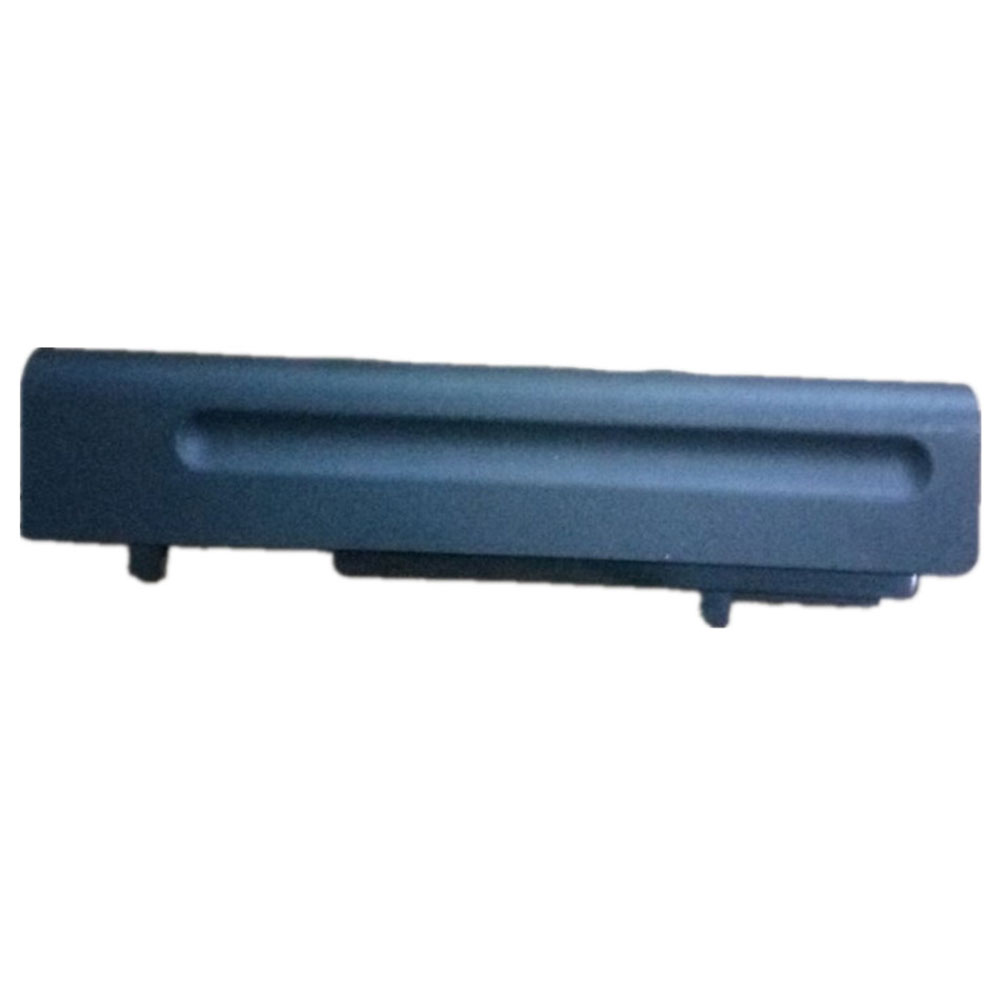
Nec PC-VP-BP79 Specifications
Brand: Laptop Battery for Nec
Capacity:63WH
Voltage:10.8V
Type:Li-ion
Color:Blue
All products from our shop are 100% the highest quality!
We provide the high quality Laptop Adapters!
OP-570-76993
How to Maintenance your new replacement Nec PC-VP-BP79 battery?
1. New Nec PC-VP-BP79 battery pack must be fully charged before use.
2. New battery pack needs to be fully charged and discharged (cycled) a few times before it can condition to full capacity.
3.Laptop battery undergo self-discharging when left unused. Always store a Nec PC-VP-BP79 battery pack in a fully charged stage for storage.
4. Fully drain and fully recharge your battery pack every few months.
5. Turn down the LCD brightness of your portable device.
6. Use built-in power management on your portable device.
7. Turn off LCD or other unnecessary accessories when not in use.
8. Set screen saver blank to 1 to 2 minutes of your notebook.
9. Add more RAM if you have extra RAM expansion slot, it will reduce the usage of hard drive and it is power exhaustive.
10. Close unused software in your Nec series laptop .
11. Remove unused PC Cards or USB devices from your notebook.
12. Don´t watch DVD or play graphics intensive video games.
13. Don´t short circuit terminal or store your Nec PC-VP-BP79 Laptop Batteriespack with metal parts. 14. Don´t drop or mutilate the Nec PC-VP-BP79 battery pack.
15. Don´t expose to moisture or water.
Other Online Stores:
USA------------NEC PC-VP-BP79 battery
NED------------NEC PC-VP-BP79 Accu
FRA------------NEC PC-VP-BP79 Batterie Ordinateur Portable
JPN------------NEC PC-VP-BP79 Li-ion 新品デル互換用バッテリー
ESP------------Nec PC-VP-BP79 baterías
Fit Machine Model Nec series - 63WH - 10.8V.
All products from our shop are 100% the highest quality! We provide the high quality Laptop Batteries. Nec PC-VP-BP79 battery is best compatible with the original equipments.
OriccaBattery.co.uk ◆Free Shipping ◆ One year warranty ◆ 30 days money back guarantee.
Battery PC-VP-BP79 Replacement For Nec laptop Nec series
Nec PC-VP-BP79 Specifications
Brand: Laptop Battery for Nec
Capacity:63WH
Voltage:10.8V
Type:Li-ion
Color:Blue
All products from our shop are 100% the highest quality!
We provide the high quality Laptop Adapters!
PRODUCT COMPATIBILITY:
PC-VP-BP79OP-570-76993
REPLACEABILITY WITH THE FOLLOWING MODELS:
Nec seriesHow to Maintenance your new replacement Nec PC-VP-BP79 battery?
1. New Nec PC-VP-BP79 battery pack must be fully charged before use.
2. New battery pack needs to be fully charged and discharged (cycled) a few times before it can condition to full capacity.
3.Laptop battery undergo self-discharging when left unused. Always store a Nec PC-VP-BP79 battery pack in a fully charged stage for storage.
4. Fully drain and fully recharge your battery pack every few months.
5. Turn down the LCD brightness of your portable device.
6. Use built-in power management on your portable device.
7. Turn off LCD or other unnecessary accessories when not in use.
8. Set screen saver blank to 1 to 2 minutes of your notebook.
9. Add more RAM if you have extra RAM expansion slot, it will reduce the usage of hard drive and it is power exhaustive.
10. Close unused software in your Nec series laptop .
11. Remove unused PC Cards or USB devices from your notebook.
12. Don´t watch DVD or play graphics intensive video games.
13. Don´t short circuit terminal or store your Nec PC-VP-BP79 Laptop Batteriespack with metal parts. 14. Don´t drop or mutilate the Nec PC-VP-BP79 battery pack.
15. Don´t expose to moisture or water.
Other Online Stores:
USA------------NEC PC-VP-BP79 battery
NED------------NEC PC-VP-BP79 Accu
FRA------------NEC PC-VP-BP79 Batterie Ordinateur Portable
JPN------------NEC PC-VP-BP79 Li-ion 新品デル互換用バッテリー
ESP------------Nec PC-VP-BP79 baterías
18V MULTI ATF001 Battery For Gtechon MULTI ATF001 Battery pack
Buy MULTI ATF001 Battery replacement for Gtechon MULTI ATF001 pack.
Fit Machine Model Gtechon MULTI ATF001 pack - 43.2wh - 18V.
All products from our shop are 100% the highest quality! We provide the high quality Laptop Batteries. MULTI ATF001 battery is best compatible with the original equipments.
OriccaBattery.co.uk ◆Free Shipping ◆ One year warranty ◆ 30 days money back guarantee.
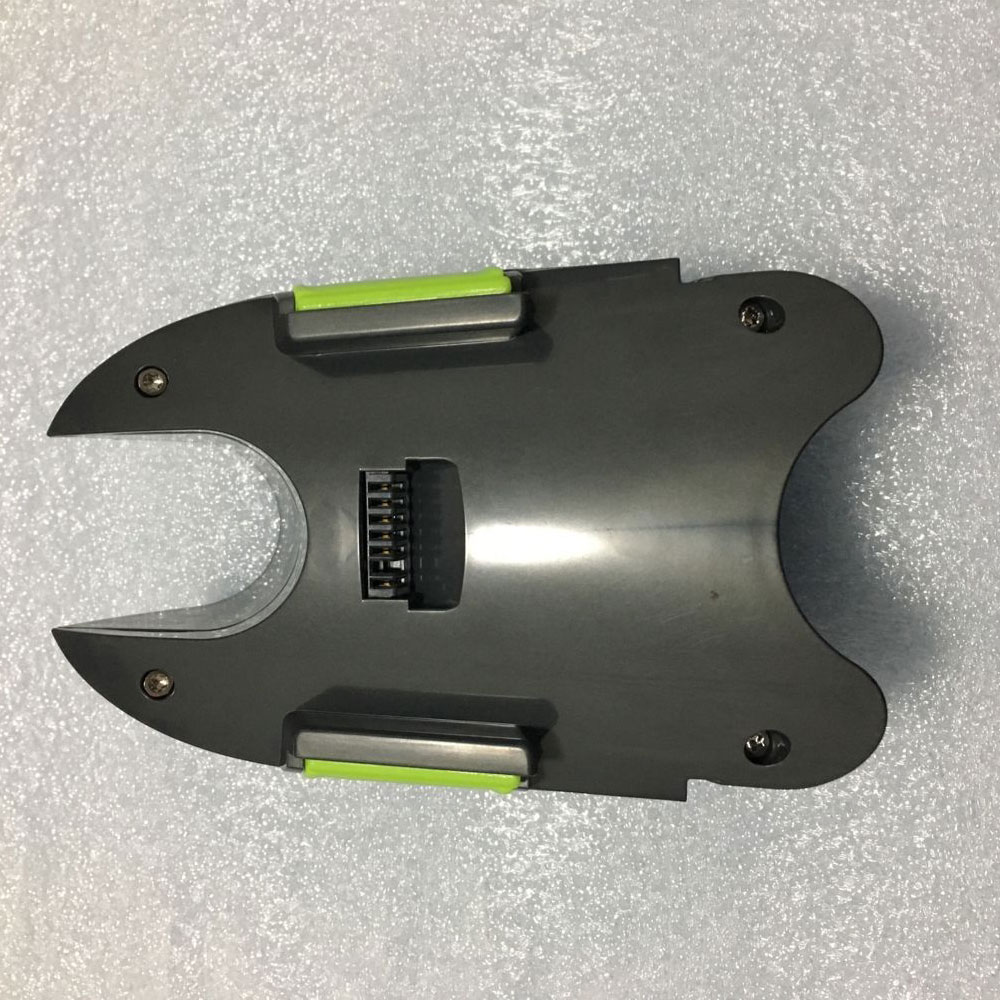
MULTI ATF001 Specifications
Brand: Battery for MULTI
Capacity:43.2wh
Voltage:18V
Type:Li-ion
All products from our shop are 100% the highest quality!
We provide the high quality Laptop Adapters!
How to Maintenance your new replacement MULTI ATF001 battery?
1. New MULTI ATF001 battery pack must be fully charged before use.
2. New battery pack needs to be fully charged and discharged (cycled) a few times before it can condition to full capacity.
3.Laptop battery undergo self-discharging when left unused. Always store a MULTI ATF001 battery pack in a fully charged stage for storage.
4. Fully drain and fully recharge your battery pack every few months.
5. Turn down the LCD brightness of your portable device.
6. Use built-in power management on your portable device.
7. Turn off LCD or other unnecessary accessories when not in use.
8. Set screen saver blank to 1 to 2 minutes of your notebook.
9. Add more RAM if you have extra RAM expansion slot, it will reduce the usage of hard drive and it is power exhaustive.
10. Close unused software in your Gtechon MULTI ATF001 pack .
11. Remove unused PC Cards or USB devices from your notebook.
12. Don´t watch DVD or play graphics intensive video games.
13. Don´t short circuit terminal or store your MULTI ATF001 Batteries pack with metal parts. 14. Don´t drop or mutilate the MULTI ATF001 battery pack.
15. Don´t expose to moisture or water.
Other Online Stores:
USA------------MULTI ATF001 battery
NED------------MULTI ATF001 Accu
FRA------------MULTI ATF001 Autres Batteries
JPN------------MULTI ATF001 Li-ion 新品デル互換用バッテリー
ESP------------Multi ATF001 baterías
Fit Machine Model Gtechon MULTI ATF001 pack - 43.2wh - 18V.
All products from our shop are 100% the highest quality! We provide the high quality Laptop Batteries. MULTI ATF001 battery is best compatible with the original equipments.
OriccaBattery.co.uk ◆Free Shipping ◆ One year warranty ◆ 30 days money back guarantee.
Battery ATF001 Replacement For MULTI Gtechon MULTI ATF001 pack
MULTI ATF001 Specifications
Brand: Battery for MULTI
Capacity:43.2wh
Voltage:18V
Type:Li-ion
All products from our shop are 100% the highest quality!
We provide the high quality Laptop Adapters!
PRODUCT COMPATIBILITY:
ATF001REPLACEABILITY WITH THE FOLLOWING MODELS:
Gtechon MULTI ATF001 Battery packHow to Maintenance your new replacement MULTI ATF001 battery?
1. New MULTI ATF001 battery pack must be fully charged before use.
2. New battery pack needs to be fully charged and discharged (cycled) a few times before it can condition to full capacity.
3.Laptop battery undergo self-discharging when left unused. Always store a MULTI ATF001 battery pack in a fully charged stage for storage.
4. Fully drain and fully recharge your battery pack every few months.
5. Turn down the LCD brightness of your portable device.
6. Use built-in power management on your portable device.
7. Turn off LCD or other unnecessary accessories when not in use.
8. Set screen saver blank to 1 to 2 minutes of your notebook.
9. Add more RAM if you have extra RAM expansion slot, it will reduce the usage of hard drive and it is power exhaustive.
10. Close unused software in your Gtechon MULTI ATF001 pack .
11. Remove unused PC Cards or USB devices from your notebook.
12. Don´t watch DVD or play graphics intensive video games.
13. Don´t short circuit terminal or store your MULTI ATF001 Batteries pack with metal parts. 14. Don´t drop or mutilate the MULTI ATF001 battery pack.
15. Don´t expose to moisture or water.
Other Online Stores:
USA------------MULTI ATF001 battery
NED------------MULTI ATF001 Accu
FRA------------MULTI ATF001 Autres Batteries
JPN------------MULTI ATF001 Li-ion 新品デル互換用バッテリー
ESP------------Multi ATF001 baterías
18V Dewalt DEWDCB184 Battery For DEWALT DCB184 XR
Buy Dewalt DEWDCB184 Battery replacement for DEWALT DCB184 XR.
Fit Machine Model DEWALT DCB184 XR - 5.0Ah - 18V.
All products from our shop are 100% the highest quality! We provide the high quality Laptop Batteries. Dewalt DEWDCB184 battery is best compatible with the original equipments.
OriccaBattery.co.uk ◆Free Shipping ◆ One year warranty ◆ 30 days money back guarantee.
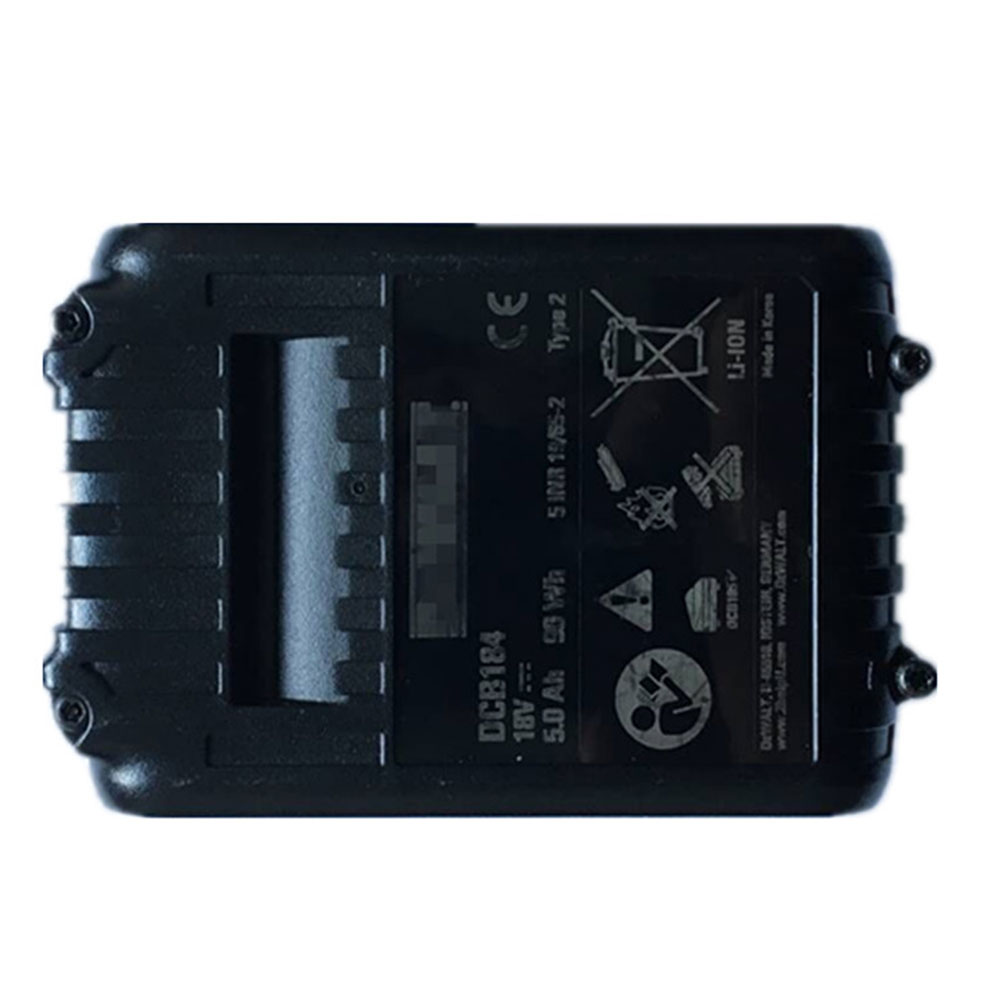
Dewalt DEWDCB184 Specifications
Brand: Battery for Dewalt
Capacity:5.0Ah
Voltage:18V
Type:Li-ion
All products from our shop are 100% the highest quality!
We provide the high quality Laptop Adapters!
184B
DCB185
How to Maintenance your new replacement Dewalt DEWDCB184 battery?
1. New Dewalt DEWDCB184 battery pack must be fully charged before use.
2. New battery pack needs to be fully charged and discharged (cycled) a few times before it can condition to full capacity.
3.Laptop battery undergo self-discharging when left unused. Always store a Dewalt DEWDCB184 battery pack in a fully charged stage for storage.
4. Fully drain and fully recharge your battery pack every few months.
5. Turn down the LCD brightness of your portable device.
6. Use built-in power management on your portable device.
7. Turn off LCD or other unnecessary accessories when not in use.
8. Set screen saver blank to 1 to 2 minutes of your notebook.
9. Add more RAM if you have extra RAM expansion slot, it will reduce the usage of hard drive and it is power exhaustive.
10. Close unused software in your DEWALT DCB184 XR .
11. Remove unused PC Cards or USB devices from your notebook.
12. Don´t watch DVD or play graphics intensive video games.
13. Don´t short circuit terminal or store your Dewalt DEWDCB184 Batteries pack with metal parts. 14. Don´t drop or mutilate the Dewalt DEWDCB184 battery pack.
15. Don´t expose to moisture or water.
Other Online Stores:
USA------------DEWALT DEWDCB184 battery
NED------------Dewalt DEWDCB184 Accu
FRA------------Dewalt DEWDCB184 Autres Batteries
JPN------------Dewalt DEWDCB184 Li-ion 新品デル互換用バッテリー
ESP------------Dewalt DEWDCB184 baterías
Fit Machine Model DEWALT DCB184 XR - 5.0Ah - 18V.
All products from our shop are 100% the highest quality! We provide the high quality Laptop Batteries. Dewalt DEWDCB184 battery is best compatible with the original equipments.
OriccaBattery.co.uk ◆Free Shipping ◆ One year warranty ◆ 30 days money back guarantee.
Battery DEWDCB184 Replacement For Dewalt DEWALT DCB184 XR
Dewalt DEWDCB184 Specifications
Brand: Battery for Dewalt
Capacity:5.0Ah
Voltage:18V
Type:Li-ion
All products from our shop are 100% the highest quality!
We provide the high quality Laptop Adapters!
PRODUCT COMPATIBILITY:
DCB184184B
DCB185
REPLACEABILITY WITH THE FOLLOWING MODELS:
DEWALT DCB184 XRHow to Maintenance your new replacement Dewalt DEWDCB184 battery?
1. New Dewalt DEWDCB184 battery pack must be fully charged before use.
2. New battery pack needs to be fully charged and discharged (cycled) a few times before it can condition to full capacity.
3.Laptop battery undergo self-discharging when left unused. Always store a Dewalt DEWDCB184 battery pack in a fully charged stage for storage.
4. Fully drain and fully recharge your battery pack every few months.
5. Turn down the LCD brightness of your portable device.
6. Use built-in power management on your portable device.
7. Turn off LCD or other unnecessary accessories when not in use.
8. Set screen saver blank to 1 to 2 minutes of your notebook.
9. Add more RAM if you have extra RAM expansion slot, it will reduce the usage of hard drive and it is power exhaustive.
10. Close unused software in your DEWALT DCB184 XR .
11. Remove unused PC Cards or USB devices from your notebook.
12. Don´t watch DVD or play graphics intensive video games.
13. Don´t short circuit terminal or store your Dewalt DEWDCB184 Batteries pack with metal parts. 14. Don´t drop or mutilate the Dewalt DEWDCB184 battery pack.
15. Don´t expose to moisture or water.
Other Online Stores:
USA------------DEWALT DEWDCB184 battery
NED------------Dewalt DEWDCB184 Accu
FRA------------Dewalt DEWDCB184 Autres Batteries
JPN------------Dewalt DEWDCB184 Li-ion 新品デル互換用バッテリー
ESP------------Dewalt DEWDCB184 baterías
Wednesday, 26 December 2018
How to Clean Battery Terminals
Batteries are
extremely important, as they practically power our entire lives; from
car batteries for our vehicles to alkaline batteries for our personal
devices and beyond, we’ve come to rely on them greatly. Thus, it’s
extremely important that we know how to clean battery terminals.
Otherwise, debris and corrosion will render them completely useless, in
which case, it’ll render us completely useless, too.
That’s why our team at OriccaBattery.co.uk wrote this How to Clean Battery Terminals guide. Reach out to us for more info!
In this guide, we’ll cover two separate types of cleaning processes: cleaning car battery terminals and cleaning a corroded alkaline compartment. And, as always, contact us if you need any more guidance.
How to Clean Battery Terminals
Here are six simple steps that you can follow to clean your car or lawn mower battery’s terminals. Check ‘em out now!
1.Find the battery. This shouldn’t be too difficult; check the auto owner’s manual for assistance.
2.Remove the terminal covers. By this point, you must wear both work gloves and safety glasses.
3.Disconnect the battery. First, loosen the negative clamp; then, loosen the positive clamp. Make sure you avoid touching any other metal objects, like the frame of the vehicle.
4.Select a cleaning agent. Baking soda is the most common cleaning agent for auto batteries.
5.Rinse, and then dry. Once you clean off the corrosion using the cleaning agent, you need to rinse off the cleaning agent itself from the posts. Use a spray bottle of water, and then dry.
6.Reconnect the battery. You only need to do this if you want your car to start again someday!
How to Clean Battery Terminals: Corroded Alkaline Battery
Last, but certainly not least, here’s an 8-step method that you can use if the battery compartment itself needs cleaning (due to alkaline corrosion). This is perfect for many different consumer devices and alkaline batteries.
Supplies: old toothbrush or cotton swabs, lemon juice or vinegar, baking soda, gloves, goggles, etc.
Safety: Don’t let the corrosion touch your skin, protect your eyes, and work in a well-ventilated area.
1.Wear some protective gloves (made from rubber or a similar material).
2.Open the battery compartment that contains the leaking battery.
3.Remove the damaged battery and put it in a plastic bag.
4.Wipe away any white, solid materials (loose corrosion) using a cloth.
5.Pour some white vinegar into a cup or a bowl.
6.Dip a cotton swab into the white vinegar and then use it to wipe the contacts.
7.Then, dip a fresh swab into clean water and wipe the excess vinegar from the contacts.
8.Dry the contacts using a fresh towel.
>>>>>>>>>>>>Buy Online - Laptop Batteries, Chargers and AC Adapters
That’s why our team at OriccaBattery.co.uk wrote this How to Clean Battery Terminals guide. Reach out to us for more info!
In this guide, we’ll cover two separate types of cleaning processes: cleaning car battery terminals and cleaning a corroded alkaline compartment. And, as always, contact us if you need any more guidance.
How to Clean Battery Terminals
Here are six simple steps that you can follow to clean your car or lawn mower battery’s terminals. Check ‘em out now!
1.Find the battery. This shouldn’t be too difficult; check the auto owner’s manual for assistance.
2.Remove the terminal covers. By this point, you must wear both work gloves and safety glasses.
3.Disconnect the battery. First, loosen the negative clamp; then, loosen the positive clamp. Make sure you avoid touching any other metal objects, like the frame of the vehicle.
4.Select a cleaning agent. Baking soda is the most common cleaning agent for auto batteries.
5.Rinse, and then dry. Once you clean off the corrosion using the cleaning agent, you need to rinse off the cleaning agent itself from the posts. Use a spray bottle of water, and then dry.
6.Reconnect the battery. You only need to do this if you want your car to start again someday!
How to Clean Battery Terminals: Corroded Alkaline Battery
Last, but certainly not least, here’s an 8-step method that you can use if the battery compartment itself needs cleaning (due to alkaline corrosion). This is perfect for many different consumer devices and alkaline batteries.
Supplies: old toothbrush or cotton swabs, lemon juice or vinegar, baking soda, gloves, goggles, etc.
Safety: Don’t let the corrosion touch your skin, protect your eyes, and work in a well-ventilated area.
1.Wear some protective gloves (made from rubber or a similar material).
2.Open the battery compartment that contains the leaking battery.
3.Remove the damaged battery and put it in a plastic bag.
4.Wipe away any white, solid materials (loose corrosion) using a cloth.
5.Pour some white vinegar into a cup or a bowl.
6.Dip a cotton swab into the white vinegar and then use it to wipe the contacts.
7.Then, dip a fresh swab into clean water and wipe the excess vinegar from the contacts.
8.Dry the contacts using a fresh towel.
>>>>>>>>>>>>Buy Online - Laptop Batteries, Chargers and AC Adapters
Rechargeable Battery vs Disposable Battery
Practically applicable batteries have been around for hundreds of years,
but the rechargeable battery vs disposable battery discussion is a more
recent development. The battery market is much more complicated today
than it was at the dawn of the 19th century. With so many different
shapes, sizes, and chemical compositions available, consumers are facing
a few tough choices.
And one of those difficult choices is deciding between a rechargeable battery and a disposable battery. That’s why our wrote this rechargeable battery vs disposable battery comparison.
Benefits of Rechargeable Batteries
This is perhaps the first and foremost benefit of going with a rechargeable battery. After all, money speaks to everyone. The cost of buying all those AA and AAA batteries (or any other type, for that matter) can really add up. If you can reuse the same one over and over, you’ll save money.
Environmental Friendliness
The metaphorical cost of ditching all those spent battery cartridges into the local landfill can really add up, too. So, with a rechargeable battery, you’ll not only save yourself money, but you could contribute to saving the planet, as well. That’s what people call a win-win situation!
Benefits of Disposable Batteries
Here’s a good example: Some disposable alkaline batteries can last up to twice as long as comparable non-alkaline rechargeable models. That means that disposable technology makes sense for low-drain devices: smoke detectors, alarm clocks, remote controls, garage-door clickers, etc.
No Charger Necessary
Another perk of the single-use battery is that you don’t have to buy a charger. Not only can you save a few bucks, but you don’t have to spend your valuable time looking for the right one, either. Disposable batteries are simple: Put them in, take them out, throw them out, and repeat.
Drawbacks of Rechargeable Batteries: The Charger Conundrum
There are also drawbacks to both options in the rechargeable battery vs disposable battery comparison. Yes, there are drawbacks to rechargeable batteries (also called secondary batteries), believe it or not. The main one we’d like to emphasize here is the issue of the charger. Without the correct charger, a rechargeable battery is absolutely worthless! You won’t encounter this issue with disposable batteries.
Drawbacks of Disposable Batteries: Stockpiles of Spares
Last, but certainly not least, we’ll go over one of the major drawbacks to disposable batteries (also called primary batteries). If you want to sleep soundly at night, knowing that you can run your device tomorrow, you must keep a healthy reserve of them on hand. This is costly, and takes up lots of space!
>>>>>>>>>>>>Buy Online - Laptop Batteries, Chargers and AC Adapters
And one of those difficult choices is deciding between a rechargeable battery and a disposable battery. That’s why our wrote this rechargeable battery vs disposable battery comparison.
Benefits of Rechargeable Batteries
This is perhaps the first and foremost benefit of going with a rechargeable battery. After all, money speaks to everyone. The cost of buying all those AA and AAA batteries (or any other type, for that matter) can really add up. If you can reuse the same one over and over, you’ll save money.
Environmental Friendliness
The metaphorical cost of ditching all those spent battery cartridges into the local landfill can really add up, too. So, with a rechargeable battery, you’ll not only save yourself money, but you could contribute to saving the planet, as well. That’s what people call a win-win situation!
Benefits of Disposable Batteries
Here’s a good example: Some disposable alkaline batteries can last up to twice as long as comparable non-alkaline rechargeable models. That means that disposable technology makes sense for low-drain devices: smoke detectors, alarm clocks, remote controls, garage-door clickers, etc.
No Charger Necessary
Another perk of the single-use battery is that you don’t have to buy a charger. Not only can you save a few bucks, but you don’t have to spend your valuable time looking for the right one, either. Disposable batteries are simple: Put them in, take them out, throw them out, and repeat.
Drawbacks of Rechargeable Batteries: The Charger Conundrum
There are also drawbacks to both options in the rechargeable battery vs disposable battery comparison. Yes, there are drawbacks to rechargeable batteries (also called secondary batteries), believe it or not. The main one we’d like to emphasize here is the issue of the charger. Without the correct charger, a rechargeable battery is absolutely worthless! You won’t encounter this issue with disposable batteries.
Drawbacks of Disposable Batteries: Stockpiles of Spares
Last, but certainly not least, we’ll go over one of the major drawbacks to disposable batteries (also called primary batteries). If you want to sleep soundly at night, knowing that you can run your device tomorrow, you must keep a healthy reserve of them on hand. This is costly, and takes up lots of space!
>>>>>>>>>>>>Buy Online - Laptop Batteries, Chargers and AC Adapters
7.4V Motorola PMNN4071 Battery For Motorola Mag One BPR40 A8 A6
Buy Motorola PMNN4071 Battery replacement for Motorola Mag One BPR40 A8 A6.
Fit Machine Model Motorola Mag One BPR40 A8 A6 - 1800MAH - 7.4V.
All products from our shop are 100% the highest quality! We provide the high quality Laptop Batteries. Motorola PMNN4071 battery is best compatible with the original equipments.
OriccaBattery.co.uk ◆Free Shipping ◆ One year warranty ◆ 30 days money back guarantee.
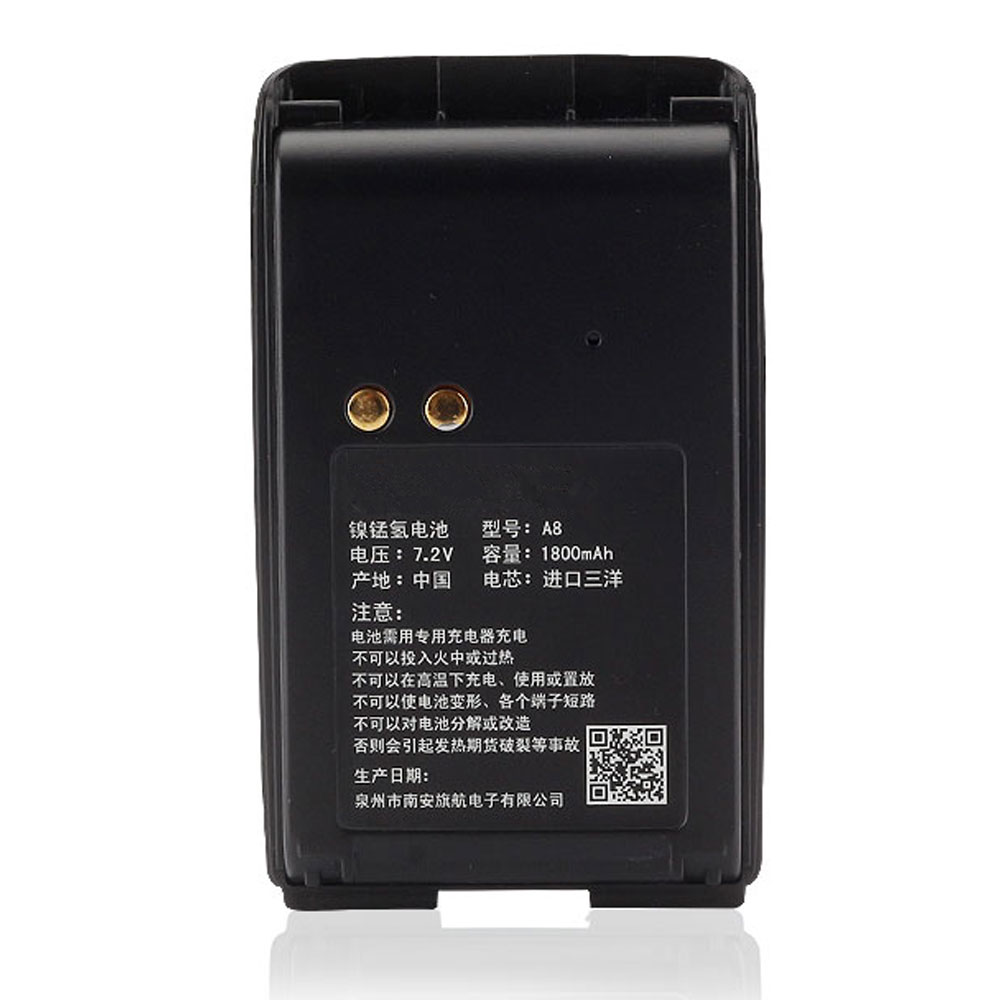
Motorola PMNN4071 Specifications
Brand: Battery for Motorola
Capacity:1800MAH
Voltage:7.4V
Type:NI-MH
All products from our shop are 100% the highest quality!
We provide the high quality Laptop Adapters!
PMNN4071A
PMNN4071AC
How to Maintenance your new replacement Motorola PMNN4071 battery?
1. New Motorola PMNN4071 battery pack must be fully charged before use.
2. New battery pack needs to be fully charged and discharged (cycled) a few times before it can condition to full capacity.
3.Laptop battery undergo self-discharging when left unused. Always store a Motorola PMNN4071 battery pack in a fully charged stage for storage.
4. Fully drain and fully recharge your battery pack every few months.
5. Turn down the LCD brightness of your portable device.
6. Use built-in power management on your portable device.
7. Turn off LCD or other unnecessary accessories when not in use.
8. Set screen saver blank to 1 to 2 minutes of your notebook.
9. Add more RAM if you have extra RAM expansion slot, it will reduce the usage of hard drive and it is power exhaustive.
10. Close unused software in your Motorola Mag One BPR40 A8 A6 .
11. Remove unused PC Cards or USB devices from your notebook.
12. Don´t watch DVD or play graphics intensive video games.
13. Don´t short circuit terminal or store your Motorola PMNN4071 Batteries pack with metal parts. 14. Don´t drop or mutilate the Motorola PMNN4071 battery pack.
15. Don´t expose to moisture or water.
Other Online Stores:
USA------------MOTOROLA PMNN4071 battery
NED------------Motorola PMNN4071 Accu
FRA------------Motorola PMNN4071 Autres Batteries
JPN------------Motorola PMNN4071 NI-MH 新品デル互換用バッテリー
ESP------------Motorola PMNN4071 baterías
Fit Machine Model Motorola Mag One BPR40 A8 A6 - 1800MAH - 7.4V.
All products from our shop are 100% the highest quality! We provide the high quality Laptop Batteries. Motorola PMNN4071 battery is best compatible with the original equipments.
OriccaBattery.co.uk ◆Free Shipping ◆ One year warranty ◆ 30 days money back guarantee.
Battery PMNN4071 Replacement For Motorola Motorola Mag One BPR40 A8 A6
Motorola PMNN4071 Specifications
Brand: Battery for Motorola
Capacity:1800MAH
Voltage:7.4V
Type:NI-MH
All products from our shop are 100% the highest quality!
We provide the high quality Laptop Adapters!
PRODUCT COMPATIBILITY:
PMNN4071PMNN4071A
PMNN4071AC
REPLACEABILITY WITH THE FOLLOWING MODELS:
Motorola Mag One BPR40 A8 A6How to Maintenance your new replacement Motorola PMNN4071 battery?
1. New Motorola PMNN4071 battery pack must be fully charged before use.
2. New battery pack needs to be fully charged and discharged (cycled) a few times before it can condition to full capacity.
3.Laptop battery undergo self-discharging when left unused. Always store a Motorola PMNN4071 battery pack in a fully charged stage for storage.
4. Fully drain and fully recharge your battery pack every few months.
5. Turn down the LCD brightness of your portable device.
6. Use built-in power management on your portable device.
7. Turn off LCD or other unnecessary accessories when not in use.
8. Set screen saver blank to 1 to 2 minutes of your notebook.
9. Add more RAM if you have extra RAM expansion slot, it will reduce the usage of hard drive and it is power exhaustive.
10. Close unused software in your Motorola Mag One BPR40 A8 A6 .
11. Remove unused PC Cards or USB devices from your notebook.
12. Don´t watch DVD or play graphics intensive video games.
13. Don´t short circuit terminal or store your Motorola PMNN4071 Batteries pack with metal parts. 14. Don´t drop or mutilate the Motorola PMNN4071 battery pack.
15. Don´t expose to moisture or water.
Other Online Stores:
USA------------MOTOROLA PMNN4071 battery
NED------------Motorola PMNN4071 Accu
FRA------------Motorola PMNN4071 Autres Batteries
JPN------------Motorola PMNN4071 NI-MH 新品デル互換用バッテリー
ESP------------Motorola PMNN4071 baterías
7.4V Motorola NNTN7038B Battery For Motorola APX6000 APX7000 APX8000 SRX2200
Buy Motorola NNTN7038B Battery replacement for Motorola APX6000 APX7000 APX8000 SRX2200.
Fit Machine Model Motorola APX6000 APX7000 APX8000 SRX2200 - 4100MAH/30.4WH - 7.4V.
All products from our shop are 100% the highest quality! We provide the high quality Laptop Batteries. Motorola NNTN7038B battery is best compatible with the original equipments.
OriccaBattery.co.uk ◆Free Shipping ◆ One year warranty ◆ 30 days money back guarantee.
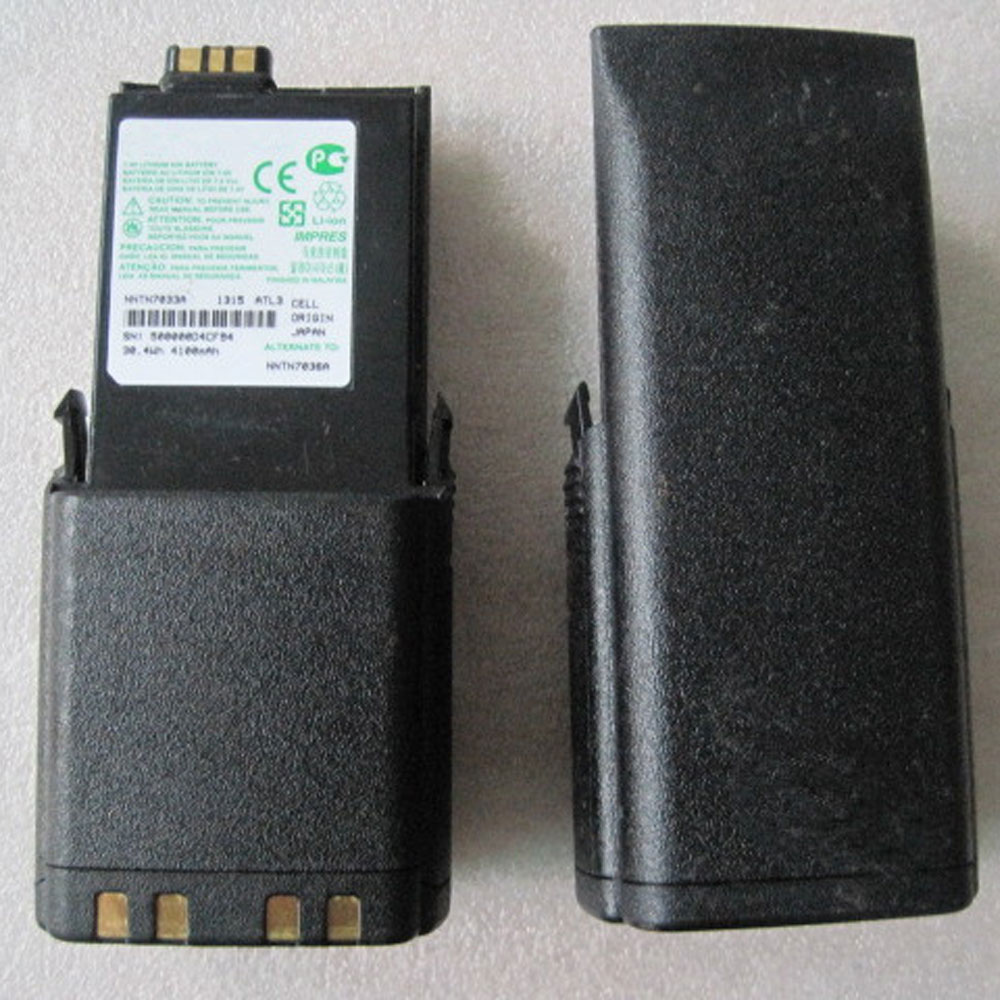
Motorola NNTN7038B Specifications
Brand: Battery for Motorola
Capacity:4100MAH/30.4WH
Voltage:7.4V
Type:Li-ion
All products from our shop are 100% the highest quality!
We provide the high quality Laptop Adapters!
NNTN7038A
How to Maintenance your new replacement Motorola NNTN7038B battery?
1. New Motorola NNTN7038B battery pack must be fully charged before use.
2. New battery pack needs to be fully charged and discharged (cycled) a few times before it can condition to full capacity.
3.Laptop battery undergo self-discharging when left unused. Always store a Motorola NNTN7038B battery pack in a fully charged stage for storage.
4. Fully drain and fully recharge your battery pack every few months.
5. Turn down the LCD brightness of your portable device.
6. Use built-in power management on your portable device.
7. Turn off LCD or other unnecessary accessories when not in use.
8. Set screen saver blank to 1 to 2 minutes of your notebook.
9. Add more RAM if you have extra RAM expansion slot, it will reduce the usage of hard drive and it is power exhaustive.
10. Close unused software in your Motorola APX6000 APX7000 APX8000 SRX2200 .
11. Remove unused PC Cards or USB devices from your notebook.
12. Don´t watch DVD or play graphics intensive video games.
13. Don´t short circuit terminal or store your Motorola NNTN7038B Batteries pack with metal parts. 14. Don´t drop or mutilate the Motorola NNTN7038B battery pack.
15. Don´t expose to moisture or water.
Other Online Stores:
USA------------MOTOROLA NNTN7038B battery
NED------------Motorola NNTN7038B Accu
FRA------------Motorola NNTN7038B Autres Batteries
JPN------------Motorola NNTN7038B Li-ion 新品デル互換用バッテリー
ESP------------Motorola NNTN7038B baterías
Fit Machine Model Motorola APX6000 APX7000 APX8000 SRX2200 - 4100MAH/30.4WH - 7.4V.
All products from our shop are 100% the highest quality! We provide the high quality Laptop Batteries. Motorola NNTN7038B battery is best compatible with the original equipments.
OriccaBattery.co.uk ◆Free Shipping ◆ One year warranty ◆ 30 days money back guarantee.
Battery NNTN7038B Replacement For Motorola Motorola APX6000 APX7000 APX8000 SRX2200
Motorola NNTN7038B Specifications
Brand: Battery for Motorola
Capacity:4100MAH/30.4WH
Voltage:7.4V
Type:Li-ion
All products from our shop are 100% the highest quality!
We provide the high quality Laptop Adapters!
PRODUCT COMPATIBILITY:
NNTN7038BNNTN7038A
REPLACEABILITY WITH THE FOLLOWING MODELS:
Motorola APX6000 APX7000 APX8000 SRX2200How to Maintenance your new replacement Motorola NNTN7038B battery?
1. New Motorola NNTN7038B battery pack must be fully charged before use.
2. New battery pack needs to be fully charged and discharged (cycled) a few times before it can condition to full capacity.
3.Laptop battery undergo self-discharging when left unused. Always store a Motorola NNTN7038B battery pack in a fully charged stage for storage.
4. Fully drain and fully recharge your battery pack every few months.
5. Turn down the LCD brightness of your portable device.
6. Use built-in power management on your portable device.
7. Turn off LCD or other unnecessary accessories when not in use.
8. Set screen saver blank to 1 to 2 minutes of your notebook.
9. Add more RAM if you have extra RAM expansion slot, it will reduce the usage of hard drive and it is power exhaustive.
10. Close unused software in your Motorola APX6000 APX7000 APX8000 SRX2200 .
11. Remove unused PC Cards or USB devices from your notebook.
12. Don´t watch DVD or play graphics intensive video games.
13. Don´t short circuit terminal or store your Motorola NNTN7038B Batteries pack with metal parts. 14. Don´t drop or mutilate the Motorola NNTN7038B battery pack.
15. Don´t expose to moisture or water.
Other Online Stores:
USA------------MOTOROLA NNTN7038B battery
NED------------Motorola NNTN7038B Accu
FRA------------Motorola NNTN7038B Autres Batteries
JPN------------Motorola NNTN7038B Li-ion 新品デル互換用バッテリー
ESP------------Motorola NNTN7038B baterías
3.8V/4.35V Lenovo BL229 Battery For Lenovo Smartphone A8 A806 A808T
Buy Lenovo BL229 Cell Phone Battery replacement for Lenovo Gold Gladiator A8 A806 A808T.
Fit Machine Model Lenovo Gold Gladiator A8 A806 A808T - 2500mAh/9.50WH - 3.8V/4.35V.
All products from our shop are 100% the highest quality! We provide the high quality Laptop Batteries. Lenovo BL229 battery is best compatible with the original equipments.
OriccaBattery.co.uk ◆Free Shipping ◆ One year warranty ◆ 30 days money back guarantee.
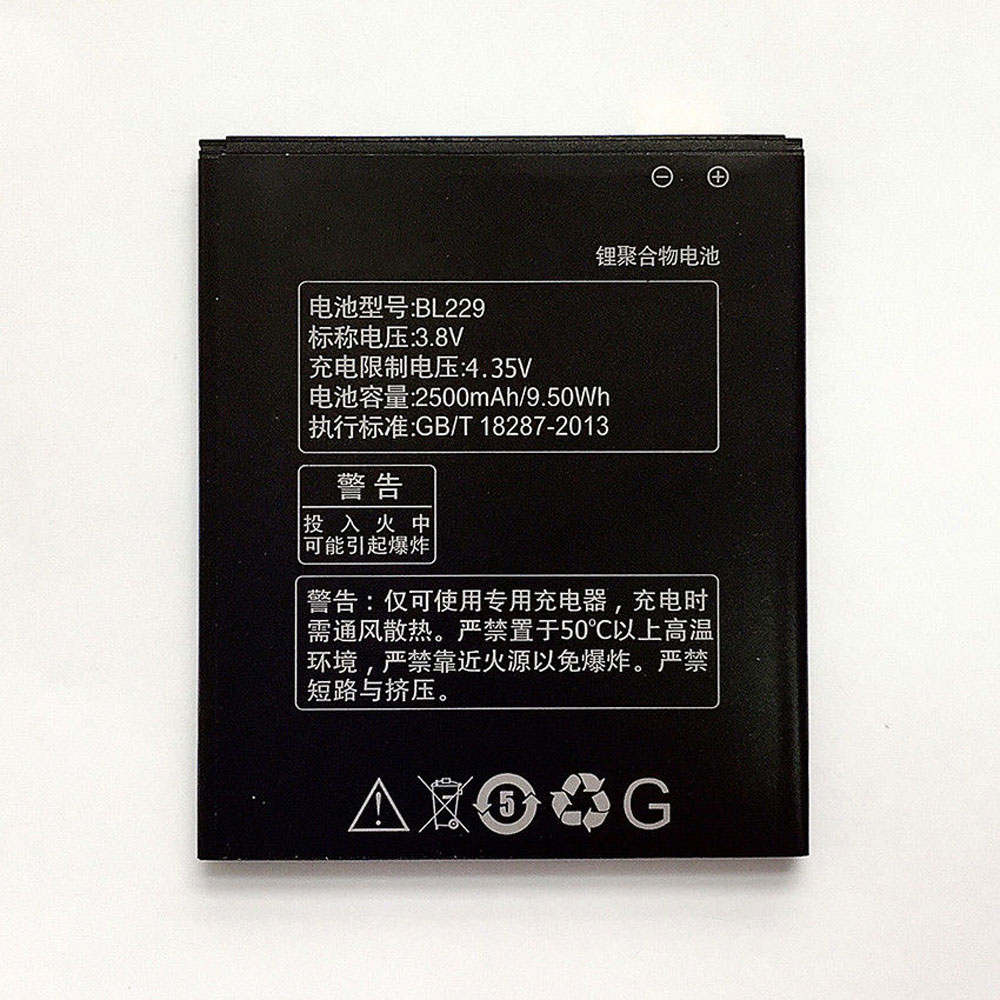
Lenovo BL229 Specifications
Brand:Cell Phone Battery for Lenovo
Capacity:2500mAh/9.50WH
Voltage:3.8V/4.35V
Type:Li-ion
All products from our shop are 100% the highest quality!
We provide the high quality Laptop Adapters!
How to Maintenance your new replacement Lenovo BL229 battery?
1. New Lenovo BL229 battery pack must be fully charged before use.
2. New battery pack needs to be fully charged and discharged (cycled) a few times before it can condition to full capacity.
3.Laptop battery undergo self-discharging when left unused. Always store a Lenovo BL229 battery pack in a fully charged stage for storage.
4. Fully drain and fully recharge your battery pack every few months.
5. Turn down the LCD brightness of your portable device.
6. Use built-in power management on your portable device.
7. Turn off LCD or other unnecessary accessories when not in use.
8. Set screen saver blank to 1 to 2 minutes of your notebook.
9. Add more RAM if you have extra RAM expansion slot, it will reduce the usage of hard drive and it is power exhaustive.
10. Close unused software in your Lenovo Gold Gladiator A8 A806 A808T phone .
11. Remove unused PC Cards or USB devices from your notebook.
12. Don´t watch DVD or play graphics intensive video games.
13. Don´t short circuit terminal or store your Lenovo BL229 Cell Phone Batteries pack with metal parts. 14. Don´t drop or mutilate the Lenovo BL229 battery pack.
15. Don´t expose to moisture or water.
Other Online Stores:
USA------------LENOVO BL229 battery
NED------------Lenovo BL229 Accu
FRA------------Lenovo BL229 Batterie Téléphone
JPN------------Lenovo BL229 Li-ion 新品デル互換用バッテリー
ESP------------Lenovo BL229 baterías
Fit Machine Model Lenovo Gold Gladiator A8 A806 A808T - 2500mAh/9.50WH - 3.8V/4.35V.
All products from our shop are 100% the highest quality! We provide the high quality Laptop Batteries. Lenovo BL229 battery is best compatible with the original equipments.
OriccaBattery.co.uk ◆Free Shipping ◆ One year warranty ◆ 30 days money back guarantee.
Battery BL229 Replacement For Lenovo cell phone Lenovo Gold Gladiator A8 A806 A808T
Lenovo BL229 Specifications
Brand:Cell Phone Battery for Lenovo
Capacity:2500mAh/9.50WH
Voltage:3.8V/4.35V
Type:Li-ion
All products from our shop are 100% the highest quality!
We provide the high quality Laptop Adapters!
PRODUCT COMPATIBILITY:
BL229REPLACEABILITY WITH THE FOLLOWING MODELS:
Lenovo Smartphone A8 A806 A808THow to Maintenance your new replacement Lenovo BL229 battery?
1. New Lenovo BL229 battery pack must be fully charged before use.
2. New battery pack needs to be fully charged and discharged (cycled) a few times before it can condition to full capacity.
3.Laptop battery undergo self-discharging when left unused. Always store a Lenovo BL229 battery pack in a fully charged stage for storage.
4. Fully drain and fully recharge your battery pack every few months.
5. Turn down the LCD brightness of your portable device.
6. Use built-in power management on your portable device.
7. Turn off LCD or other unnecessary accessories when not in use.
8. Set screen saver blank to 1 to 2 minutes of your notebook.
9. Add more RAM if you have extra RAM expansion slot, it will reduce the usage of hard drive and it is power exhaustive.
10. Close unused software in your Lenovo Gold Gladiator A8 A806 A808T phone .
11. Remove unused PC Cards or USB devices from your notebook.
12. Don´t watch DVD or play graphics intensive video games.
13. Don´t short circuit terminal or store your Lenovo BL229 Cell Phone Batteries pack with metal parts. 14. Don´t drop or mutilate the Lenovo BL229 battery pack.
15. Don´t expose to moisture or water.
Other Online Stores:
USA------------LENOVO BL229 battery
NED------------Lenovo BL229 Accu
FRA------------Lenovo BL229 Batterie Téléphone
JPN------------Lenovo BL229 Li-ion 新品デル互換用バッテリー
ESP------------Lenovo BL229 baterías
3.7V Lenovo L13L1P21 Battery For Lenovo Miix 2 8 Tablet PC
Buy Lenovo L13L1P21 Tablet PC Battery replacement for Lenovo Miix 2 8 inch Tablet PC.
Fit Machine Model Lenovo Miix 2 8 inch Tablet PC - 4730mAh/17.5Wh - 3.7V.
All products from our shop are 100% the highest quality! We provide the high quality Laptop Batteries. Lenovo L13L1P21 battery is best compatible with the original equipments.
OriccaBattery.co.uk ◆Free Shipping ◆ One year warranty ◆ 30 days money back guarantee.
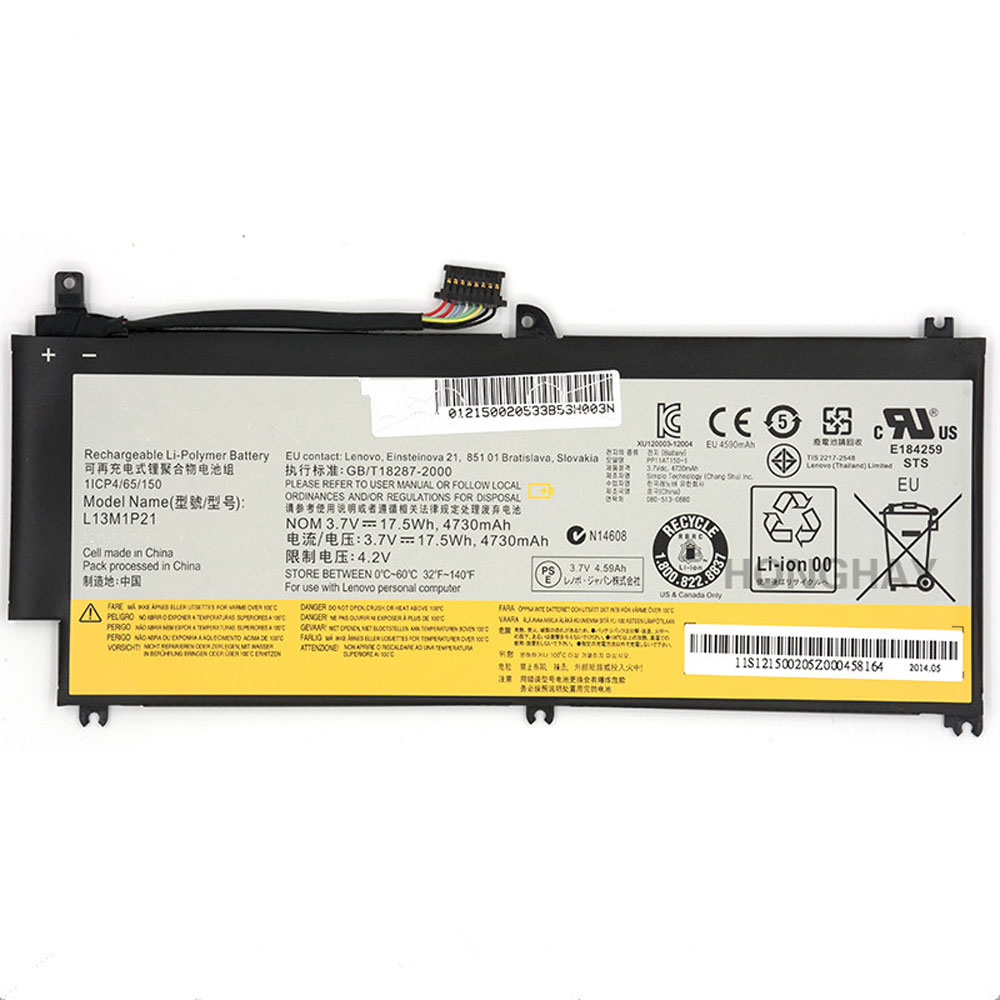
Lenovo L13L1P21 Specifications
Brand:Tablet PC Battery for Lenovo
Capacity:4730mAh/17.5Wh
Voltage:3.7V
Type:Li-ion
All products from our shop are 100% the highest quality!
We provide the high quality Laptop Adapters!
L13M1P21
How to Maintenance your new replacement Lenovo L13L1P21 battery?
1. New Lenovo L13L1P21 battery pack must be fully charged before use.
2. New battery pack needs to be fully charged and discharged (cycled) a few times before it can condition to full capacity.
3.Laptop battery undergo self-discharging when left unused. Always store a Lenovo L13L1P21 battery pack in a fully charged stage for storage.
4. Fully drain and fully recharge your battery pack every few months.
5. Turn down the LCD brightness of your portable device.
6. Use built-in power management on your portable device.
7. Turn off LCD or other unnecessary accessories when not in use.
8. Set screen saver blank to 1 to 2 minutes of your notebook.
9. Add more RAM if you have extra RAM expansion slot, it will reduce the usage of hard drive and it is power exhaustive.
10. Close unused software in your Lenovo Miix 2 8 inch Tablet PC Tablet PC .
11. Remove unused PC Cards or USB devices from your notebook.
12. Don´t watch DVD or play graphics intensive video games.
13. Don´t short circuit terminal or store your Lenovo L13L1P21 Tablet Batteries pack with metal parts. 14. Don´t drop or mutilate the Lenovo L13L1P21 battery pack.
15. Don´t expose to moisture or water.
Other Online Stores:
USA------------LENOVO L13L1P21 battery
NED------------Lenovo L13L1P21 Accu
FRA------------Lenovo L13L1P21 Batterie Tablette
JPN------------Lenovo L13L1P21 Li-ion 新品デル互換用バッテリー
ESP------------Lenovo L13L1P21 baterías
Fit Machine Model Lenovo Miix 2 8 inch Tablet PC - 4730mAh/17.5Wh - 3.7V.
All products from our shop are 100% the highest quality! We provide the high quality Laptop Batteries. Lenovo L13L1P21 battery is best compatible with the original equipments.
OriccaBattery.co.uk ◆Free Shipping ◆ One year warranty ◆ 30 days money back guarantee.
Battery L13L1P21 Replacement For Lenovo Tablet Lenovo Miix 2 8 inch Tablet PC
Lenovo L13L1P21 Specifications
Brand:Tablet PC Battery for Lenovo
Capacity:4730mAh/17.5Wh
Voltage:3.7V
Type:Li-ion
All products from our shop are 100% the highest quality!
We provide the high quality Laptop Adapters!
PRODUCT COMPATIBILITY:
L13L1P21L13M1P21
REPLACEABILITY WITH THE FOLLOWING MODELS:
Lenovo Miix 2 8 Tablet PCHow to Maintenance your new replacement Lenovo L13L1P21 battery?
1. New Lenovo L13L1P21 battery pack must be fully charged before use.
2. New battery pack needs to be fully charged and discharged (cycled) a few times before it can condition to full capacity.
3.Laptop battery undergo self-discharging when left unused. Always store a Lenovo L13L1P21 battery pack in a fully charged stage for storage.
4. Fully drain and fully recharge your battery pack every few months.
5. Turn down the LCD brightness of your portable device.
6. Use built-in power management on your portable device.
7. Turn off LCD or other unnecessary accessories when not in use.
8. Set screen saver blank to 1 to 2 minutes of your notebook.
9. Add more RAM if you have extra RAM expansion slot, it will reduce the usage of hard drive and it is power exhaustive.
10. Close unused software in your Lenovo Miix 2 8 inch Tablet PC Tablet PC .
11. Remove unused PC Cards or USB devices from your notebook.
12. Don´t watch DVD or play graphics intensive video games.
13. Don´t short circuit terminal or store your Lenovo L13L1P21 Tablet Batteries pack with metal parts. 14. Don´t drop or mutilate the Lenovo L13L1P21 battery pack.
15. Don´t expose to moisture or water.
Other Online Stores:
USA------------LENOVO L13L1P21 battery
NED------------Lenovo L13L1P21 Accu
FRA------------Lenovo L13L1P21 Batterie Tablette
JPN------------Lenovo L13L1P21 Li-ion 新品デル互換用バッテリー
ESP------------Lenovo L13L1P21 baterías
7.4V Motorola HNN9008A Battery For Motorola GP328/GP338/GP340/GP380 PRO5150 HT1250 MTX9250
Buy Motorola HNN9008A Battery replacement for Motorola PRO5150 PRO7150 GP640 GP140.
Fit Machine Model Motorola PRO5150 PRO7150 GP640 GP140 - 4200MAH - 7.4V.
All products from our shop are 100% the highest quality! We provide the high quality Laptop Batteries. Motorola HNN9008A battery is best compatible with the original equipments.
OriccaBattery.co.uk ◆Free Shipping ◆ One year warranty ◆ 30 days money back guarantee.
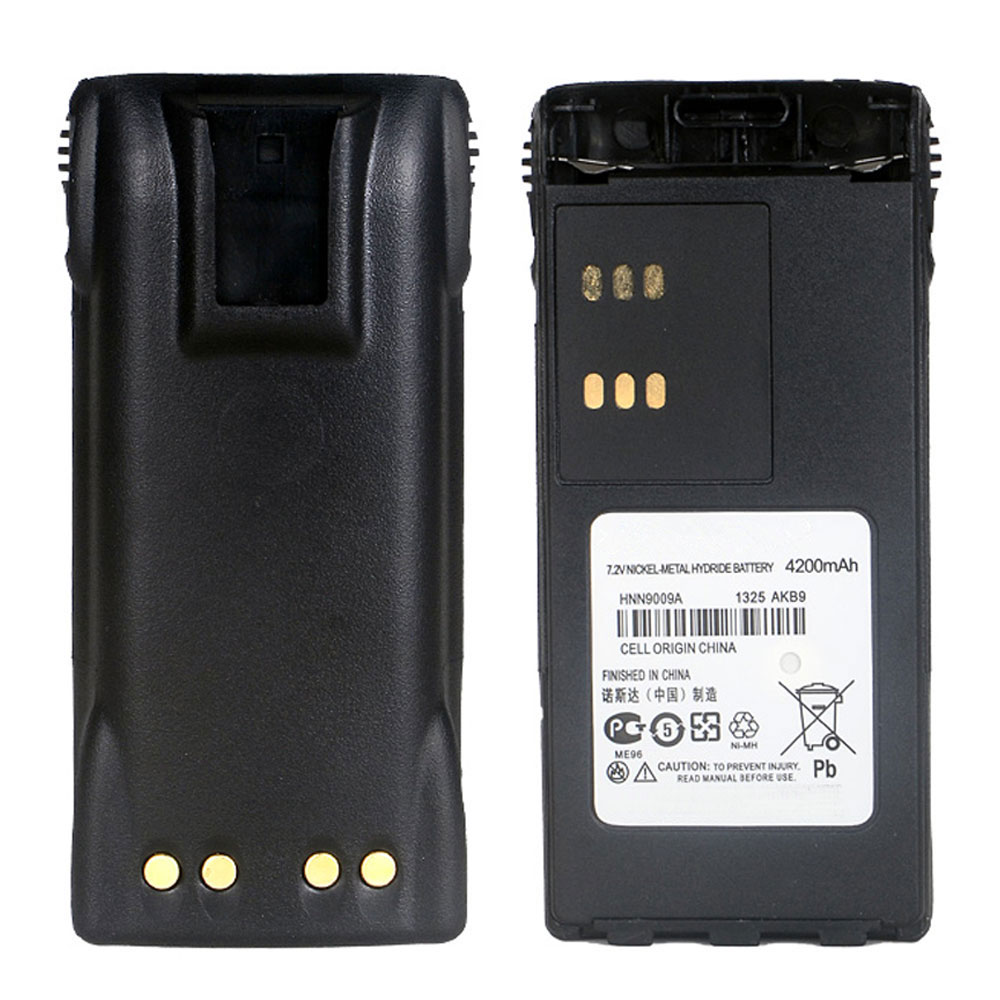
Motorola HNN9008A Specifications
Brand: Battery for Motorola
Capacity:4200MAH
Voltage:7.4V
Type:NI-MH
All products from our shop are 100% the highest quality!
We provide the high quality Laptop Adapters!
HNN9008
HNN9008A
HNN9009
HNN9008AR
How to Maintenance your new replacement Motorola HNN9008A battery?
1. New Motorola HNN9008A battery pack must be fully charged before use.
2. New battery pack needs to be fully charged and discharged (cycled) a few times before it can condition to full capacity.
3.Laptop battery undergo self-discharging when left unused. Always store a Motorola HNN9008A battery pack in a fully charged stage for storage.
4. Fully drain and fully recharge your battery pack every few months.
5. Turn down the LCD brightness of your portable device.
6. Use built-in power management on your portable device.
7. Turn off LCD or other unnecessary accessories when not in use.
8. Set screen saver blank to 1 to 2 minutes of your notebook.
9. Add more RAM if you have extra RAM expansion slot, it will reduce the usage of hard drive and it is power exhaustive.
10. Close unused software in your Motorola PRO5150 PRO7150 GP640 GP140 .
11. Remove unused PC Cards or USB devices from your notebook.
12. Don´t watch DVD or play graphics intensive video games.
13. Don´t short circuit terminal or store your Motorola HNN9008A Batteries pack with metal parts. 14. Don´t drop or mutilate the Motorola HNN9008A battery pack.
15. Don´t expose to moisture or water.
Other Online Stores:
USA------------MOTOROLA HNN9008A battery
NED------------Motorola HNN9008A Accu
FRA------------Motorola HNN9008A Autres Batteries
JPN------------Motorola HNN9008A NI-MH 新品デル互換用バッテリー
ESP------------Motorola HNN9008A baterías
Fit Machine Model Motorola PRO5150 PRO7150 GP640 GP140 - 4200MAH - 7.4V.
All products from our shop are 100% the highest quality! We provide the high quality Laptop Batteries. Motorola HNN9008A battery is best compatible with the original equipments.
OriccaBattery.co.uk ◆Free Shipping ◆ One year warranty ◆ 30 days money back guarantee.
Battery HNN9008A Replacement For Motorola Motorola PRO5150 PRO7150 GP640 GP140
Motorola HNN9008A Specifications
Brand: Battery for Motorola
Capacity:4200MAH
Voltage:7.4V
Type:NI-MH
All products from our shop are 100% the highest quality!
We provide the high quality Laptop Adapters!
PRODUCT COMPATIBILITY:
HNN9009AHNN9008
HNN9008A
HNN9009
HNN9008AR
REPLACEABILITY WITH THE FOLLOWING MODELS:
Motorola GP328/GP338/GP340/GP380 PRO5150 HT1250 MTX9250 HT1550 HT750 PTX760 PRO7150 GP640 GP140How to Maintenance your new replacement Motorola HNN9008A battery?
1. New Motorola HNN9008A battery pack must be fully charged before use.
2. New battery pack needs to be fully charged and discharged (cycled) a few times before it can condition to full capacity.
3.Laptop battery undergo self-discharging when left unused. Always store a Motorola HNN9008A battery pack in a fully charged stage for storage.
4. Fully drain and fully recharge your battery pack every few months.
5. Turn down the LCD brightness of your portable device.
6. Use built-in power management on your portable device.
7. Turn off LCD or other unnecessary accessories when not in use.
8. Set screen saver blank to 1 to 2 minutes of your notebook.
9. Add more RAM if you have extra RAM expansion slot, it will reduce the usage of hard drive and it is power exhaustive.
10. Close unused software in your Motorola PRO5150 PRO7150 GP640 GP140 .
11. Remove unused PC Cards or USB devices from your notebook.
12. Don´t watch DVD or play graphics intensive video games.
13. Don´t short circuit terminal or store your Motorola HNN9008A Batteries pack with metal parts. 14. Don´t drop or mutilate the Motorola HNN9008A battery pack.
15. Don´t expose to moisture or water.
Other Online Stores:
USA------------MOTOROLA HNN9008A battery
NED------------Motorola HNN9008A Accu
FRA------------Motorola HNN9008A Autres Batteries
JPN------------Motorola HNN9008A NI-MH 新品デル互換用バッテリー
ESP------------Motorola HNN9008A baterías
Tuesday, 25 December 2018
Types of Batteries: Choosing the Right Battery for Your Needs
With so many different types of batteries and devices on the market
today, choosing the right battery for your specific needs can seem like a
difficult task. However, although it might seem challenging, it’s
surely not insurmountable, especially with the help of this official
Battery Depot guide!
The Ultimate Types of Batteries List
Here’s a look at the various types of batteries that we have in stock. Our inventory is both large and diverse, so we hope that you refer to this list for a bit of help determining which is best for your needs.
Cordless Phone Batteries
Cordless phone batteries are invaluable in your home, office, or apartment. There’s an array of cordless phone batteries for your AT&T®, General Electric, Panasonic, and Radio Shack phones in our inventory.
Watch Batteries
Watch batteries (also known as button cell batteries) are disposable batteries that can be used for multiple different watches. We carry watch battery replacements for Bulova, Citizen, Seiko, Swatch, and other watches, too.
>>>>>>>>>>WX30 Battery Compatible Moto 360 Smart Watch
>>>>>>>>>>HB442528EBC Battery Compatible Huawei Watch 1ICP5/25/28
>>>>>>>>>>1ICP6/18/24 Battery Compatible Microsoft Band 2 Smartwatch tools
>>>>>>>>>>WX30 Battery Compatible Motorola Moto 360 1st Gen 2014 SNN5951A
>>>>>>>>>>GB-S10-353235-0100 Battery Compatible Sony SmartWatch 3 SWR50
>>>>>>>>>>SNN5971A Battery Compatible Moto 360 2nd-Gen 2015 Smart Watch FW3S
>>>>>>>>>>C11N1541 Battery Compatible Asus W1502QF ZenWatch 2 0B200-01760100
>>>>>>>>>>BL-S4 Battery Compatible LG Watch
>>>>>>>>>>BL-S6 Battery Compatible LG Watch Urbane 2nd Edition LTE Watch
Alkaline Batteries
An alkaline battery is a dry cell battery with an alkaline electrolyte of potassium hydroxide that’s commonly used to power a variety of devices, including alarm clocks, flashlights, smoke detectors, digital cameras, children’s toys, remote controls, radios, etc.
Lithium Batteries
Lithium batteries have lithium as an anode and are rechargeable batteries. You can also use lithium batteries to power a variety of devices, such as PDAs, pacemakers, watches, smartphones, thermometers, remote car locks, laser pointers, and more.
Power Tool Batteries
You’ll find power tool batteries for equipment from Black & Decker, Skil, Ryobi, Panasonic, Metabo, Milwaukee, Makita, Hitachi, DeWalt, Bosch, Craftsman, and so on.
>>>>>>>>>>BA1120 Battery Compatible EGO Power
Cell Phone Batteries
Don’t replace your cell phone when you can replace your cell phone battery. Cell phone batteries range in composition from lead acid to lithium ion. It’s easy to find a replacement for your iPhone, BlackBerry, HTC, Motorola, Nokia, Samsung, or T-Mobile cell phone online!
>>>>>>>>>>Buy Cell Phone Battery Online
Two-Way Radio Batteries
Regardless of whether you utilize two-way radios from Icom, Yaesu, Kenwood, Motorola, Radio Shack, Uniden, or any other communications company, we’ve got it.
Camera Batteries
It doesn’t matter if you’re a traveler, a hobbyist, a student, or a professional. We have the camera batteries you need for the prices you want. It’s really quite easy.
>>>>>>>>>>HB01-522365 Battery Compatible DJI OSMO Handheld Yuntau 4K Camera
>>>>>>>>>>A-1 Battery Compatible ARLO PRO or PRO 2 Camera VMA4400
Rechargeable Batteries
Rechargeable batteries are affordable and provide convenience when you need to power up. Rechargeable batteries are available for 9 Volt, AA, AAA, C, D, SC, and many others. They’re also available in many common chemical compositions, including lithium, lithium ion, nickel cadmium, and more.Why throw your spent batteries away when you could just recharge ‘em instead? We recommend choosing a rechargeable battery if you go through a lot of batteries.
Other Types of Batteries
We also carry batteries that are compatible with laptops, household appliances, phones, e-cigarettes, industrial systems, and several other different technologies.
Picking the Right Battery in a Few Simple Steps
Step 1: Determine the exact specifications that your device requires. Look for info like voltage, capacity, number of cells, shape/size, and anything else that’s pertinent. This is the primary step.
Step 2: Read about the various options that are available. We’d recommend checking out the categorical pages on our site. For example, if you’re looking for a lead acid battery, we’ve got ‘em.
Step 3: If you need more precise directions, you can speak with a professional. We can help!
>>>>>>>>>>Laptop and Notebook Battery & Adapter Manufacturers.
The Ultimate Types of Batteries List
Here’s a look at the various types of batteries that we have in stock. Our inventory is both large and diverse, so we hope that you refer to this list for a bit of help determining which is best for your needs.
Cordless Phone Batteries
Cordless phone batteries are invaluable in your home, office, or apartment. There’s an array of cordless phone batteries for your AT&T®, General Electric, Panasonic, and Radio Shack phones in our inventory.
Watch Batteries
Watch batteries (also known as button cell batteries) are disposable batteries that can be used for multiple different watches. We carry watch battery replacements for Bulova, Citizen, Seiko, Swatch, and other watches, too.
>>>>>>>>>>WX30 Battery Compatible Moto 360 Smart Watch
>>>>>>>>>>HB442528EBC Battery Compatible Huawei Watch 1ICP5/25/28
>>>>>>>>>>1ICP6/18/24 Battery Compatible Microsoft Band 2 Smartwatch tools
>>>>>>>>>>WX30 Battery Compatible Motorola Moto 360 1st Gen 2014 SNN5951A
>>>>>>>>>>GB-S10-353235-0100 Battery Compatible Sony SmartWatch 3 SWR50
>>>>>>>>>>SNN5971A Battery Compatible Moto 360 2nd-Gen 2015 Smart Watch FW3S
>>>>>>>>>>C11N1541 Battery Compatible Asus W1502QF ZenWatch 2 0B200-01760100
>>>>>>>>>>BL-S4 Battery Compatible LG Watch
>>>>>>>>>>BL-S6 Battery Compatible LG Watch Urbane 2nd Edition LTE Watch
Alkaline Batteries
An alkaline battery is a dry cell battery with an alkaline electrolyte of potassium hydroxide that’s commonly used to power a variety of devices, including alarm clocks, flashlights, smoke detectors, digital cameras, children’s toys, remote controls, radios, etc.
Lithium Batteries
Lithium batteries have lithium as an anode and are rechargeable batteries. You can also use lithium batteries to power a variety of devices, such as PDAs, pacemakers, watches, smartphones, thermometers, remote car locks, laser pointers, and more.
Power Tool Batteries
You’ll find power tool batteries for equipment from Black & Decker, Skil, Ryobi, Panasonic, Metabo, Milwaukee, Makita, Hitachi, DeWalt, Bosch, Craftsman, and so on.
>>>>>>>>>>BA1120 Battery Compatible EGO Power
Cell Phone Batteries
Don’t replace your cell phone when you can replace your cell phone battery. Cell phone batteries range in composition from lead acid to lithium ion. It’s easy to find a replacement for your iPhone, BlackBerry, HTC, Motorola, Nokia, Samsung, or T-Mobile cell phone online!
>>>>>>>>>>Buy Cell Phone Battery Online
Two-Way Radio Batteries
Regardless of whether you utilize two-way radios from Icom, Yaesu, Kenwood, Motorola, Radio Shack, Uniden, or any other communications company, we’ve got it.
Camera Batteries
It doesn’t matter if you’re a traveler, a hobbyist, a student, or a professional. We have the camera batteries you need for the prices you want. It’s really quite easy.
>>>>>>>>>>HB01-522365 Battery Compatible DJI OSMO Handheld Yuntau 4K Camera
>>>>>>>>>>A-1 Battery Compatible ARLO PRO or PRO 2 Camera VMA4400
Rechargeable Batteries
Rechargeable batteries are affordable and provide convenience when you need to power up. Rechargeable batteries are available for 9 Volt, AA, AAA, C, D, SC, and many others. They’re also available in many common chemical compositions, including lithium, lithium ion, nickel cadmium, and more.Why throw your spent batteries away when you could just recharge ‘em instead? We recommend choosing a rechargeable battery if you go through a lot of batteries.
Other Types of Batteries
We also carry batteries that are compatible with laptops, household appliances, phones, e-cigarettes, industrial systems, and several other different technologies.
Picking the Right Battery in a Few Simple Steps
Step 1: Determine the exact specifications that your device requires. Look for info like voltage, capacity, number of cells, shape/size, and anything else that’s pertinent. This is the primary step.
Step 2: Read about the various options that are available. We’d recommend checking out the categorical pages on our site. For example, if you’re looking for a lead acid battery, we’ve got ‘em.
Step 3: If you need more precise directions, you can speak with a professional. We can help!
>>>>>>>>>>Laptop and Notebook Battery & Adapter Manufacturers.
3.85V LG BL-S6 Battery For LG Watch Urbane 2nd Edition LTE Watch
Buy LG BL-S6 Battery replacement for LG Watch Urbane 2nd Edition LTE Watch.
Fit Machine Model LG Watch Urbane 2nd Edition LTE Watch - 570MAH/2.2Wh - 3.85V.
All products from our shop are 100% the highest quality! We provide the high quality Laptop Batteries. LG BL-S6 battery is best compatible with the original equipments.
OriccaBattery.co.uk ◆Free Shipping ◆ One year warranty ◆ 30 days money back guarantee.
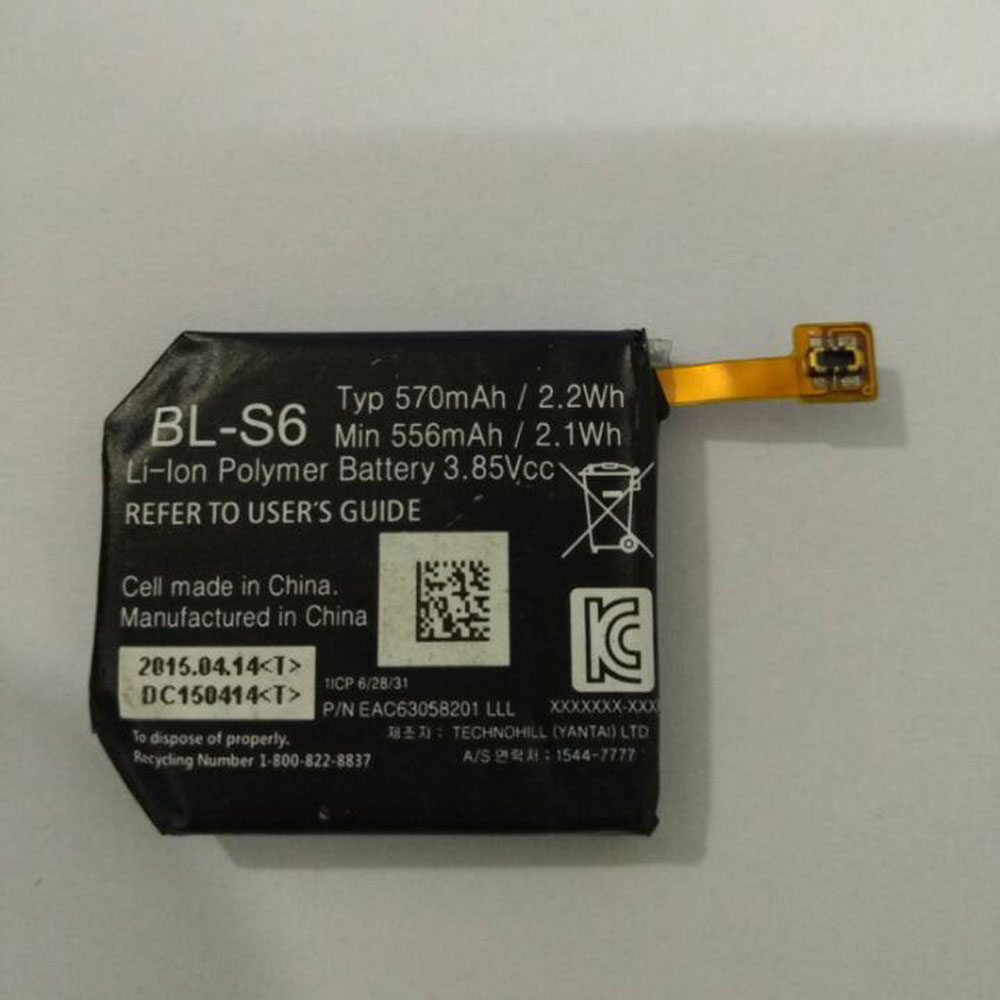
LG BL-S6 Specifications
Brand: Battery for LG
Capacity:570MAH/2.2Wh
Voltage:3.85V
Type:Li-ion
All products from our shop are 100% the highest quality!
We provide the high quality Laptop Adapters!
How to Maintenance your new replacement LG BL-S6 battery?
1. New LG BL-S6 battery pack must be fully charged before use.
2. New battery pack needs to be fully charged and discharged (cycled) a few times before it can condition to full capacity.
3.Laptop battery undergo self-discharging when left unused. Always store a LG BL-S6 battery pack in a fully charged stage for storage.
4. Fully drain and fully recharge your battery pack every few months.
5. Turn down the LCD brightness of your portable device.
6. Use built-in power management on your portable device.
7. Turn off LCD or other unnecessary accessories when not in use.
8. Set screen saver blank to 1 to 2 minutes of your notebook.
9. Add more RAM if you have extra RAM expansion slot, it will reduce the usage of hard drive and it is power exhaustive.
10. Close unused software in your LG Watch Urbane 2nd Edition LTE Watch .
11. Remove unused PC Cards or USB devices from your notebook.
12. Don´t watch DVD or play graphics intensive video games.
13. Don´t short circuit terminal or store your LG BL-S6 Batteries pack with metal parts. 14. Don´t drop or mutilate the LG BL-S6 battery pack.
15. Don´t expose to moisture or water.
Other Online Stores:
USA------------LG BL-S6 battery
NED------------LG BL-S6 Accu
FRA------------LG BL-S6 Autres Batteries
JPN------------LG BL-S6 Li-ion 新品デル互換用バッテリー
ESP------------LG BL-S6 baterías
Fit Machine Model LG Watch Urbane 2nd Edition LTE Watch - 570MAH/2.2Wh - 3.85V.
All products from our shop are 100% the highest quality! We provide the high quality Laptop Batteries. LG BL-S6 battery is best compatible with the original equipments.
OriccaBattery.co.uk ◆Free Shipping ◆ One year warranty ◆ 30 days money back guarantee.
Battery BL-S6 Replacement For LG LG Watch Urbane 2nd Edition LTE Watch
LG BL-S6 Specifications
Brand: Battery for LG
Capacity:570MAH/2.2Wh
Voltage:3.85V
Type:Li-ion
All products from our shop are 100% the highest quality!
We provide the high quality Laptop Adapters!
PRODUCT COMPATIBILITY:
BL-S6REPLACEABILITY WITH THE FOLLOWING MODELS:
LG Watch Urbane 2nd Edition LTE WatchHow to Maintenance your new replacement LG BL-S6 battery?
1. New LG BL-S6 battery pack must be fully charged before use.
2. New battery pack needs to be fully charged and discharged (cycled) a few times before it can condition to full capacity.
3.Laptop battery undergo self-discharging when left unused. Always store a LG BL-S6 battery pack in a fully charged stage for storage.
4. Fully drain and fully recharge your battery pack every few months.
5. Turn down the LCD brightness of your portable device.
6. Use built-in power management on your portable device.
7. Turn off LCD or other unnecessary accessories when not in use.
8. Set screen saver blank to 1 to 2 minutes of your notebook.
9. Add more RAM if you have extra RAM expansion slot, it will reduce the usage of hard drive and it is power exhaustive.
10. Close unused software in your LG Watch Urbane 2nd Edition LTE Watch .
11. Remove unused PC Cards or USB devices from your notebook.
12. Don´t watch DVD or play graphics intensive video games.
13. Don´t short circuit terminal or store your LG BL-S6 Batteries pack with metal parts. 14. Don´t drop or mutilate the LG BL-S6 battery pack.
15. Don´t expose to moisture or water.
Other Online Stores:
USA------------LG BL-S6 battery
NED------------LG BL-S6 Accu
FRA------------LG BL-S6 Autres Batteries
JPN------------LG BL-S6 Li-ion 新品デル互換用バッテリー
ESP------------LG BL-S6 baterías
3.7V/4.2V Lenovo 1ICP3/72/138-2 Battery For Lenovo Miix 300
Buy Lenovo 1ICP3/72/138-2 Tablet PC Battery replacement for Lenovo Miix 300.
Fit Machine Model Lenovo Miix 300 - 7000MAH/25.9WH - 3.7V/4.2V.
All products from our shop are 100% the highest quality! We provide the high quality Laptop Batteries. Lenovo 1ICP3/72/138-2 battery is best compatible with the original equipments.
OriccaBattery.co.uk ◆Free Shipping ◆ One year warranty ◆ 30 days money back guarantee.
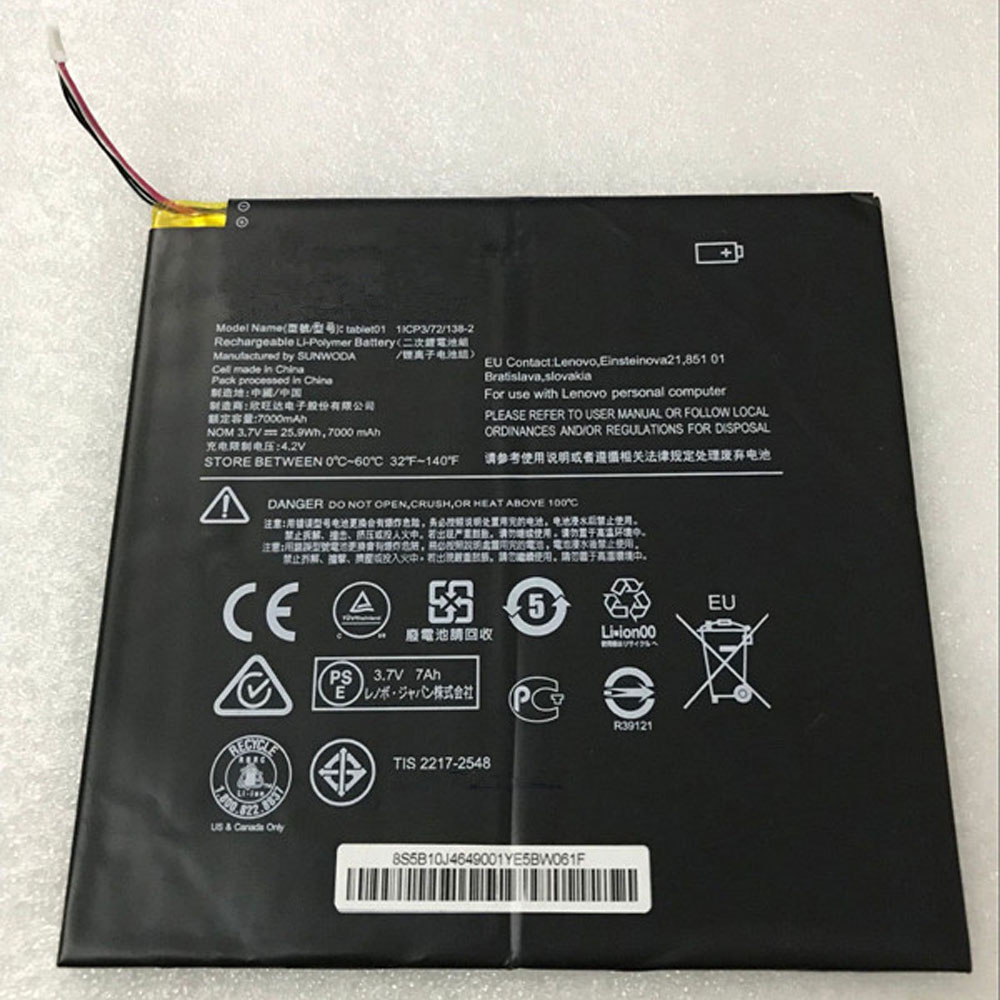
Lenovo 1ICP3/72/138-2 Specifications
Brand:Tablet PC Battery for Lenovo
Capacity:7000MAH/25.9WH
Voltage:3.7V/4.2V
Type:Li-ion
All products from our shop are 100% the highest quality!
We provide the high quality Laptop Adapters!
1ICP3/72/138-2
How to Maintenance your new replacement Lenovo Tablet01 battery?
1. New Lenovo Tablet01 battery pack must be fully charged before use.
2. New battery pack needs to be fully charged and discharged (cycled) a few times before it can condition to full capacity.
3.Laptop battery undergo self-discharging when left unused. Always store a Lenovo Tablet01 battery pack in a fully charged stage for storage.
4. Fully drain and fully recharge your battery pack every few months.
5. Turn down the LCD brightness of your portable device.
6. Use built-in power management on your portable device.
7. Turn off LCD or other unnecessary accessories when not in use.
8. Set screen saver blank to 1 to 2 minutes of your notebook.
9. Add more RAM if you have extra RAM expansion slot, it will reduce the usage of hard drive and it is power exhaustive.
10. Close unused software in your Lenovo Miix 300 Tablet PC .
11. Remove unused PC Cards or USB devices from your notebook.
12. Don´t watch DVD or play graphics intensive video games.
13. Don´t short circuit terminal or store your Lenovo Tablet01 Tablet Batteries pack with metal parts. 14. Don´t drop or mutilate the Lenovo Tablet01 battery pack.
15. Don´t expose to moisture or water.
Other Online Stores:
USA------------LENOVO Tablet01 battery
NED------------Lenovo 1ICP3/72/138-2 Accu
FRA------------Lenovo Tablet01 Batterie Tablette
JPN------------Lenovo Tablet01 Li-ion 新品デル互換用バッテリー
ESP------------Lenovo Tablet01 baterías
Fit Machine Model Lenovo Miix 300 - 7000MAH/25.9WH - 3.7V/4.2V.
All products from our shop are 100% the highest quality! We provide the high quality Laptop Batteries. Lenovo 1ICP3/72/138-2 battery is best compatible with the original equipments.
OriccaBattery.co.uk ◆Free Shipping ◆ One year warranty ◆ 30 days money back guarantee.
Battery 1ICP3/72/138-2 Replacement For Lenovo Tablet Lenovo Miix 300
Lenovo 1ICP3/72/138-2 Specifications
Brand:Tablet PC Battery for Lenovo
Capacity:7000MAH/25.9WH
Voltage:3.7V/4.2V
Type:Li-ion
All products from our shop are 100% the highest quality!
We provide the high quality Laptop Adapters!
PRODUCT COMPATIBILITY:
Tablet011ICP3/72/138-2
REPLACEABILITY WITH THE FOLLOWING MODELS:
Lenovo Miix 300How to Maintenance your new replacement Lenovo Tablet01 battery?
1. New Lenovo Tablet01 battery pack must be fully charged before use.
2. New battery pack needs to be fully charged and discharged (cycled) a few times before it can condition to full capacity.
3.Laptop battery undergo self-discharging when left unused. Always store a Lenovo Tablet01 battery pack in a fully charged stage for storage.
4. Fully drain and fully recharge your battery pack every few months.
5. Turn down the LCD brightness of your portable device.
6. Use built-in power management on your portable device.
7. Turn off LCD or other unnecessary accessories when not in use.
8. Set screen saver blank to 1 to 2 minutes of your notebook.
9. Add more RAM if you have extra RAM expansion slot, it will reduce the usage of hard drive and it is power exhaustive.
10. Close unused software in your Lenovo Miix 300 Tablet PC .
11. Remove unused PC Cards or USB devices from your notebook.
12. Don´t watch DVD or play graphics intensive video games.
13. Don´t short circuit terminal or store your Lenovo Tablet01 Tablet Batteries pack with metal parts. 14. Don´t drop or mutilate the Lenovo Tablet01 battery pack.
15. Don´t expose to moisture or water.
Other Online Stores:
USA------------LENOVO Tablet01 battery
NED------------Lenovo 1ICP3/72/138-2 Accu
FRA------------Lenovo Tablet01 Batterie Tablette
JPN------------Lenovo Tablet01 Li-ion 新品デル互換用バッテリー
ESP------------Lenovo Tablet01 baterías
3.85V/4.4V Alcatel TLp030JC Battery For Alcatel A3 XL 9008j
Buy Alcatel TLp030JC Cell Phone Battery replacement for Alcatel A3 XL 9008j.
Fit Machine Model Alcatel A3 XL 9008j - 3080MAH/11.86WH - 3.85V/4.4V.
All products from our shop are 100% the highest quality! We provide the high quality Laptop Batteries. Alcatel TLp030JC battery is best compatible with the original equipments.
OriccaBattery.co.uk ◆Free Shipping ◆ One year warranty ◆ 30 days money back guarantee.
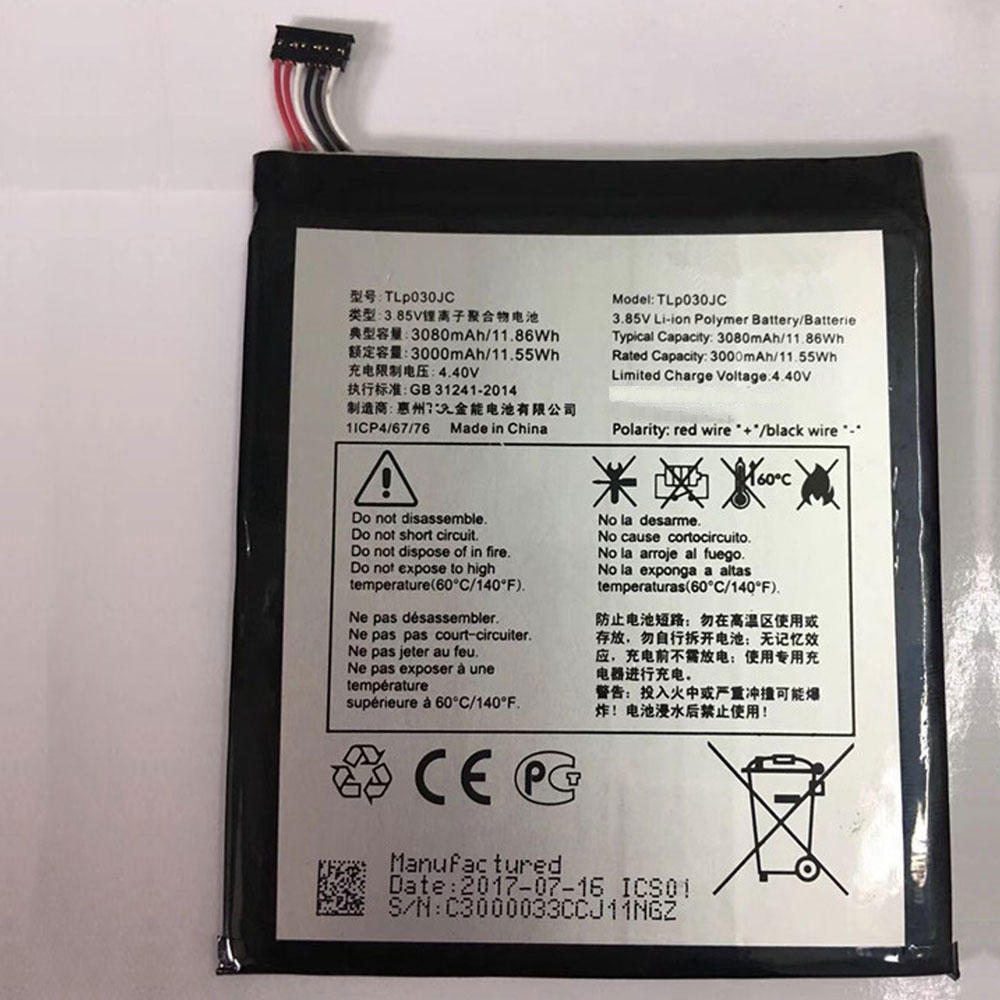
Alcatel TLp030JC Specifications
Brand:Cell Phone Battery for Alcatel
Capacity:3080MAH/11.86WH
Voltage:3.85V/4.4V
Type:Li-ion
All products from our shop are 100% the highest quality!
We provide the high quality Laptop Adapters!
How to Maintenance your new replacement Alcatel TLp030JC battery?
1. New Alcatel TLp030JC battery pack must be fully charged before use.
2. New battery pack needs to be fully charged and discharged (cycled) a few times before it can condition to full capacity.
3.Laptop battery undergo self-discharging when left unused. Always store a Alcatel TLp030JC battery pack in a fully charged stage for storage.
4. Fully drain and fully recharge your battery pack every few months.
5. Turn down the LCD brightness of your portable device.
6. Use built-in power management on your portable device.
7. Turn off LCD or other unnecessary accessories when not in use.
8. Set screen saver blank to 1 to 2 minutes of your notebook.
9. Add more RAM if you have extra RAM expansion slot, it will reduce the usage of hard drive and it is power exhaustive.
10. Close unused software in your Alcatel A3 XL 9008j phone .
11. Remove unused PC Cards or USB devices from your notebook.
12. Don´t watch DVD or play graphics intensive video games.
13. Don´t short circuit terminal or store your Alcatel TLp030JC Cell Phone Batteries pack with metal parts. 14. Don´t drop or mutilate the Alcatel TLp030JC battery pack.
15. Don´t expose to moisture or water.
Other Online Stores:
USA------------ALCATEL TLp030JC battery
NED------------Alcatel TLp030JC Accu
FRA------------Alcatel TLp030JC Batterie Téléphone
JPN------------Alcatel TLp030JC Li-ion 新品デル互換用バッテリー
ESP------------Alcatel TLp030JC baterías
Fit Machine Model Alcatel A3 XL 9008j - 3080MAH/11.86WH - 3.85V/4.4V.
All products from our shop are 100% the highest quality! We provide the high quality Laptop Batteries. Alcatel TLp030JC battery is best compatible with the original equipments.
OriccaBattery.co.uk ◆Free Shipping ◆ One year warranty ◆ 30 days money back guarantee.
Battery TLp030JC Replacement For Alcatel cell phone Alcatel A3 XL 9008j
Alcatel TLp030JC Specifications
Brand:Cell Phone Battery for Alcatel
Capacity:3080MAH/11.86WH
Voltage:3.85V/4.4V
Type:Li-ion
All products from our shop are 100% the highest quality!
We provide the high quality Laptop Adapters!
PRODUCT COMPATIBILITY:
TLp030JCREPLACEABILITY WITH THE FOLLOWING MODELS:
Alcatel A3 XL 9008jHow to Maintenance your new replacement Alcatel TLp030JC battery?
1. New Alcatel TLp030JC battery pack must be fully charged before use.
2. New battery pack needs to be fully charged and discharged (cycled) a few times before it can condition to full capacity.
3.Laptop battery undergo self-discharging when left unused. Always store a Alcatel TLp030JC battery pack in a fully charged stage for storage.
4. Fully drain and fully recharge your battery pack every few months.
5. Turn down the LCD brightness of your portable device.
6. Use built-in power management on your portable device.
7. Turn off LCD or other unnecessary accessories when not in use.
8. Set screen saver blank to 1 to 2 minutes of your notebook.
9. Add more RAM if you have extra RAM expansion slot, it will reduce the usage of hard drive and it is power exhaustive.
10. Close unused software in your Alcatel A3 XL 9008j phone .
11. Remove unused PC Cards or USB devices from your notebook.
12. Don´t watch DVD or play graphics intensive video games.
13. Don´t short circuit terminal or store your Alcatel TLp030JC Cell Phone Batteries pack with metal parts. 14. Don´t drop or mutilate the Alcatel TLp030JC battery pack.
15. Don´t expose to moisture or water.
Other Online Stores:
USA------------ALCATEL TLp030JC battery
NED------------Alcatel TLp030JC Accu
FRA------------Alcatel TLp030JC Batterie Téléphone
JPN------------Alcatel TLp030JC Li-ion 新品デル互換用バッテリー
ESP------------Alcatel TLp030JC baterías
3.85V/4.4V Asus ATL_PS-486490 Battery For Asus Pegasus 5000 X005
Buy Asus ATL_PS-486490 Cell Phone Battery replacement for Asus Pegasus 5000 X005.
Fit Machine Model Asus Pegasus 5000 X005 - 4850MAH/18.67WH - 3.85V/4.4V.
All products from our shop are 100% the highest quality! We provide the high quality Laptop Batteries. Asus ATL_PS-486490 battery is best compatible with the original equipments.
OriccaBattery.co.uk ◆Free Shipping ◆ One year warranty ◆ 30 days money back guarantee.
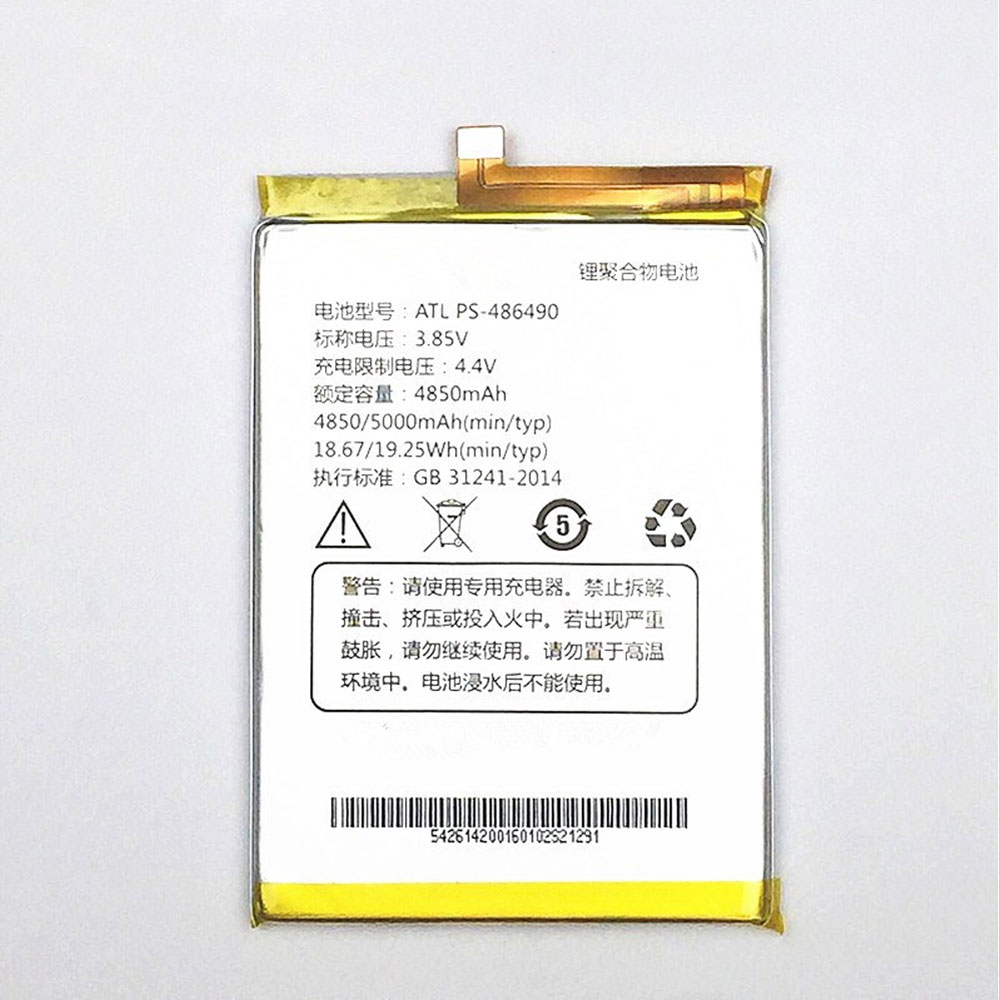
Asus ATL_PS-486490 Specifications
Brand:Cell Phone Battery for Asus
Capacity:4850MAH/18.67WH
Voltage:3.85V/4.4V
Type:Li-ion
All products from our shop are 100% the highest quality!
We provide the high quality Laptop Adapters!
Asus Pegasus 5000 X005
How to Maintenance your new replacement Asus ATL_PS-486490 battery?
1. New Asus ATL_PS-486490 battery pack must be fully charged before use.
2. New battery pack needs to be fully charged and discharged (cycled) a few times before it can condition to full capacity.
3.Laptop battery undergo self-discharging when left unused. Always store a Asus ATL_PS-486490 battery pack in a fully charged stage for storage.
4. Fully drain and fully recharge your battery pack every few months.
5. Turn down the LCD brightness of your portable device.
6. Use built-in power management on your portable device.
7. Turn off LCD or other unnecessary accessories when not in use.
8. Set screen saver blank to 1 to 2 minutes of your notebook.
9. Add more RAM if you have extra RAM expansion slot, it will reduce the usage of hard drive and it is power exhaustive.
10. Close unused software in your Asus Pegasus 5000 X005 phone .
11. Remove unused PC Cards or USB devices from your notebook.
12. Don´t watch DVD or play graphics intensive video games.
13. Don´t short circuit terminal or store your Asus ATL_PS-486490 Cell Phone Batteries pack with metal parts. 14. Don´t drop or mutilate the Asus ATL_PS-486490 battery pack.
15. Don´t expose to moisture or water.
Other Online Stores:
USA------------ASUS ATL PS-486490 battery
NED------------Asus ATL_PS-486490 Accu
FRA------------Asus ATL_PS-486490 Batterie Téléphone
JPN------------Asus ATL_PS-486490 Li-ion 新品デル互換用バッテリー
ESP------------Asus ATL_PS-486490 baterías
Fit Machine Model Asus Pegasus 5000 X005 - 4850MAH/18.67WH - 3.85V/4.4V.
All products from our shop are 100% the highest quality! We provide the high quality Laptop Batteries. Asus ATL_PS-486490 battery is best compatible with the original equipments.
OriccaBattery.co.uk ◆Free Shipping ◆ One year warranty ◆ 30 days money back guarantee.
Battery ATL_PS-486490 Replacement For Asus cell phone Asus Pegasus 5000 X005
Asus ATL_PS-486490 Specifications
Brand:Cell Phone Battery for Asus
Capacity:4850MAH/18.67WH
Voltage:3.85V/4.4V
Type:Li-ion
All products from our shop are 100% the highest quality!
We provide the high quality Laptop Adapters!
PRODUCT COMPATIBILITY:
ATL_PS-486490REPLACEABILITY WITH THE FOLLOWING MODELS:
partnumber: ATL PS-486490Asus Pegasus 5000 X005
How to Maintenance your new replacement Asus ATL_PS-486490 battery?
1. New Asus ATL_PS-486490 battery pack must be fully charged before use.
2. New battery pack needs to be fully charged and discharged (cycled) a few times before it can condition to full capacity.
3.Laptop battery undergo self-discharging when left unused. Always store a Asus ATL_PS-486490 battery pack in a fully charged stage for storage.
4. Fully drain and fully recharge your battery pack every few months.
5. Turn down the LCD brightness of your portable device.
6. Use built-in power management on your portable device.
7. Turn off LCD or other unnecessary accessories when not in use.
8. Set screen saver blank to 1 to 2 minutes of your notebook.
9. Add more RAM if you have extra RAM expansion slot, it will reduce the usage of hard drive and it is power exhaustive.
10. Close unused software in your Asus Pegasus 5000 X005 phone .
11. Remove unused PC Cards or USB devices from your notebook.
12. Don´t watch DVD or play graphics intensive video games.
13. Don´t short circuit terminal or store your Asus ATL_PS-486490 Cell Phone Batteries pack with metal parts. 14. Don´t drop or mutilate the Asus ATL_PS-486490 battery pack.
15. Don´t expose to moisture or water.
Other Online Stores:
USA------------ASUS ATL PS-486490 battery
NED------------Asus ATL_PS-486490 Accu
FRA------------Asus ATL_PS-486490 Batterie Téléphone
JPN------------Asus ATL_PS-486490 Li-ion 新品デル互換用バッテリー
ESP------------Asus ATL_PS-486490 baterías
3.85V McNair MLP3276120-2P Battery For McNair Verizon Ellipsis 10 QTAIR7 10 XLTE
Buy McNair MLP3276120-2P Tablet PC Battery replacement for McNair Verizon Ellipsis 10 QTAIR7 10 XLTE.
Fit Machine Model McNair Verizon Ellipsis 10 QTAIR7 10 XLTE - 9100MAH/35.04WH - 3.85V.
All products from our shop are 100% the highest quality! We provide the high quality Laptop Batteries. McNair MLP3276120-2P battery is best compatible with the original equipments.
OriccaBattery.co.uk ◆Free Shipping ◆ One year warranty ◆ 30 days money back guarantee.
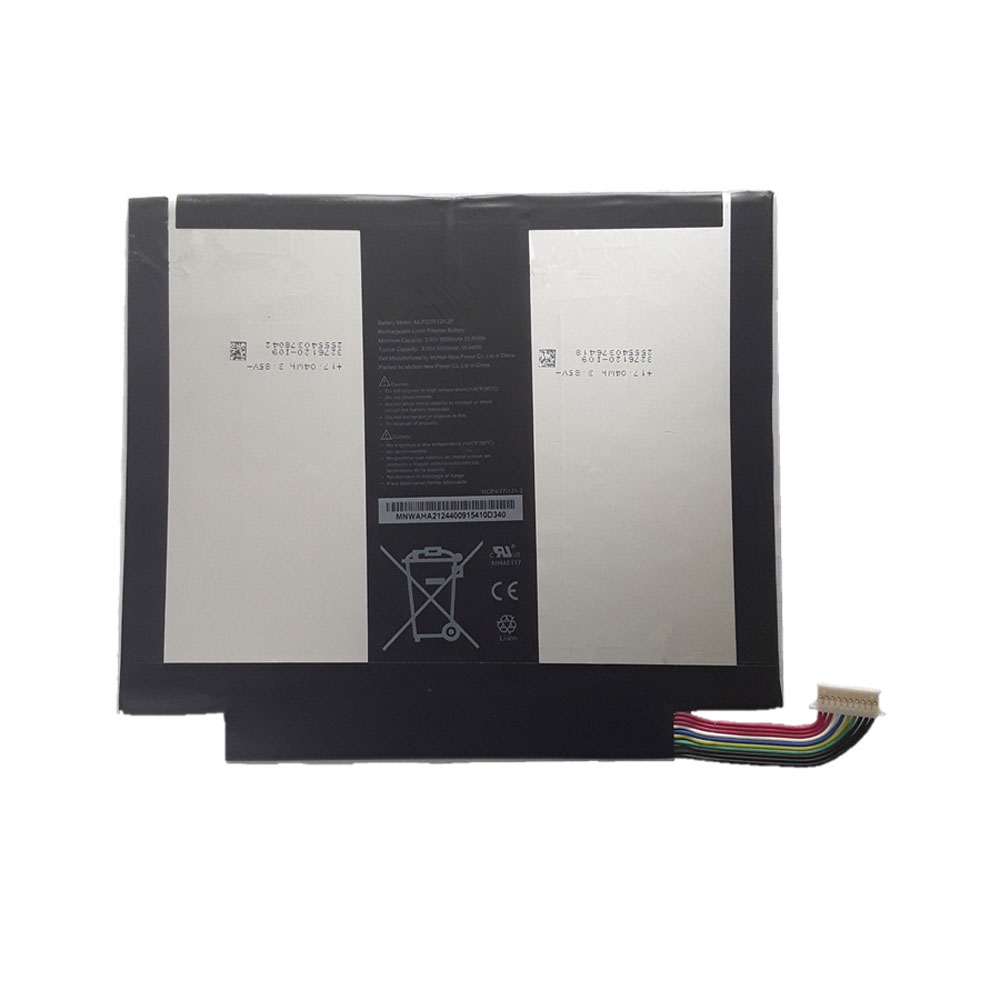
McNair MLP3276120-2P Specifications
Brand:Tablet PC Battery for McNair
Capacity:9100MAH/35.04WH
Voltage:3.85V
Type:Li-ion
All products from our shop are 100% the highest quality!
We provide the high quality Laptop Adapters!
How to Maintenance your new replacement McNair MLP3276120-2P battery?
1. New McNair MLP3276120-2P battery pack must be fully charged before use.
2. New battery pack needs to be fully charged and discharged (cycled) a few times before it can condition to full capacity.
3.Laptop battery undergo self-discharging when left unused. Always store a McNair MLP3276120-2P battery pack in a fully charged stage for storage.
4. Fully drain and fully recharge your battery pack every few months.
5. Turn down the LCD brightness of your portable device.
6. Use built-in power management on your portable device.
7. Turn off LCD or other unnecessary accessories when not in use.
8. Set screen saver blank to 1 to 2 minutes of your notebook.
9. Add more RAM if you have extra RAM expansion slot, it will reduce the usage of hard drive and it is power exhaustive.
10. Close unused software in your McNair Verizon Ellipsis 10 QTAIR7 10 XLTE Tablet PC .
11. Remove unused PC Cards or USB devices from your notebook.
12. Don´t watch DVD or play graphics intensive video games.
13. Don´t short circuit terminal or store your McNair MLP3276120-2P Tablet Batteries pack with metal parts. 14. Don´t drop or mutilate the McNair MLP3276120-2P battery pack.
15. Don´t expose to moisture or water.
Other Online Stores:
USA------------McNair VERIZON MLP3276120-2P battery
NED------------McNair Verizon MLP3276120-2P Accu
FRA------------McNair Verizon MLP3276120-2P Batterie Tablette
JPN------------McNair Verizon MLP3276120-2P Li-ion 新品デル互換用バッテリー
ESP------------McNair Verizon MLP3276120-2P baterías
Fit Machine Model McNair Verizon Ellipsis 10 QTAIR7 10 XLTE - 9100MAH/35.04WH - 3.85V.
All products from our shop are 100% the highest quality! We provide the high quality Laptop Batteries. McNair MLP3276120-2P battery is best compatible with the original equipments.
OriccaBattery.co.uk ◆Free Shipping ◆ One year warranty ◆ 30 days money back guarantee.
Battery MLP3276120-2P Replacement For McNair Tablet McNair Verizon Ellipsis 10 QTAIR7 10 XLTE
McNair MLP3276120-2P Specifications
Brand:Tablet PC Battery for McNair
Capacity:9100MAH/35.04WH
Voltage:3.85V
Type:Li-ion
All products from our shop are 100% the highest quality!
We provide the high quality Laptop Adapters!
PRODUCT COMPATIBILITY:
MLP3276120-2PREPLACEABILITY WITH THE FOLLOWING MODELS:
McNair Verizon Ellipsis 10 QTAIR7 10 XLTEHow to Maintenance your new replacement McNair MLP3276120-2P battery?
1. New McNair MLP3276120-2P battery pack must be fully charged before use.
2. New battery pack needs to be fully charged and discharged (cycled) a few times before it can condition to full capacity.
3.Laptop battery undergo self-discharging when left unused. Always store a McNair MLP3276120-2P battery pack in a fully charged stage for storage.
4. Fully drain and fully recharge your battery pack every few months.
5. Turn down the LCD brightness of your portable device.
6. Use built-in power management on your portable device.
7. Turn off LCD or other unnecessary accessories when not in use.
8. Set screen saver blank to 1 to 2 minutes of your notebook.
9. Add more RAM if you have extra RAM expansion slot, it will reduce the usage of hard drive and it is power exhaustive.
10. Close unused software in your McNair Verizon Ellipsis 10 QTAIR7 10 XLTE Tablet PC .
11. Remove unused PC Cards or USB devices from your notebook.
12. Don´t watch DVD or play graphics intensive video games.
13. Don´t short circuit terminal or store your McNair MLP3276120-2P Tablet Batteries pack with metal parts. 14. Don´t drop or mutilate the McNair MLP3276120-2P battery pack.
15. Don´t expose to moisture or water.
Other Online Stores:
USA------------McNair VERIZON MLP3276120-2P battery
NED------------McNair Verizon MLP3276120-2P Accu
FRA------------McNair Verizon MLP3276120-2P Batterie Tablette
JPN------------McNair Verizon MLP3276120-2P Li-ion 新品デル互換用バッテリー
ESP------------McNair Verizon MLP3276120-2P baterías
Subscribe to:
Comments (Atom)